
Deposits are open on the xTool X1, the modular laser platform revealed in August. I’ve had one in my workshop for about a month, so alongside the pre-order details you’ll find something most launch coverage can’t offer yet: what the machine is like in person.
- Launch price: $3,399 (Single CO2) or $3,999 (CO2 + Diode Galvo)
- Deposits open: October 12, 2026, 12:00 AM PDT
- Deposit: $100, fully refundable until you make the final payment
- Launch date: October 28, 2026, 6:00 PM PDT, when final payment opens
- Shipping starts: October 29, 2026
- Reserve: hold an X1 with a $100 refundable deposit
Need a laser that ships today? Start with our tested laser picks, or see where the X1 sits in this lineup guide.
Table of Contents
- xTool X1 Price, Release Date, and Configurations
- xTool X1 Design and Build Quality
- xTool X1 Specs, Dimensions, and Working Area
- xTool X1 First Impressions
- How xTool X1 Hybrid Motion Works
- xTool X1 Laser Sources and Materials
- xTool X1 Accessories and Software
- What Our xTool X1 Review Will Test
- FAQ: xTool X1 Questions Answered
xTool X1 Price, Release Date, and Configurations
The $3,399 launch price buys the X1 Single CO2, which comes with the 55W CO2 laser head only. On its own, that’s a capable cutter and engraver for wood and acrylic.
| xTool X1 configuration | What’s included | Launch price | Regular price |
|---|---|---|---|
| X1 Single CO2 | 55W CO2 laser head | $3,399 | $3,699 |
| X1 CO2 + Diode Galvo | 55W CO2 + 20W Diode Galvo Module | $3,999 | $4,299 |
| Add-on | Price | Requires |
|---|---|---|
| 20W Diode Galvo Module (later upgrade) | $899 | Any X1 |
| 30W Fiber Galvo Source | $1,999 | Diode Galvo Module |
| 5W UV Galvo Source | $2,999 | Diode Galvo Module |
| 60W MOPA Galvo Source | $3,199 | Diode Galvo Module |
The math favors deciding now. The Diode Galvo configuration costs $600 more at launch, while the same module bought later is $899. If you expect to add metal or glass work, the bundle saves $299.
A fully expanded machine adds up quickly. The CO2 + Diode Galvo plus a 60W MOPA, the setup on my bench, comes to $7,198 at launch pricing.
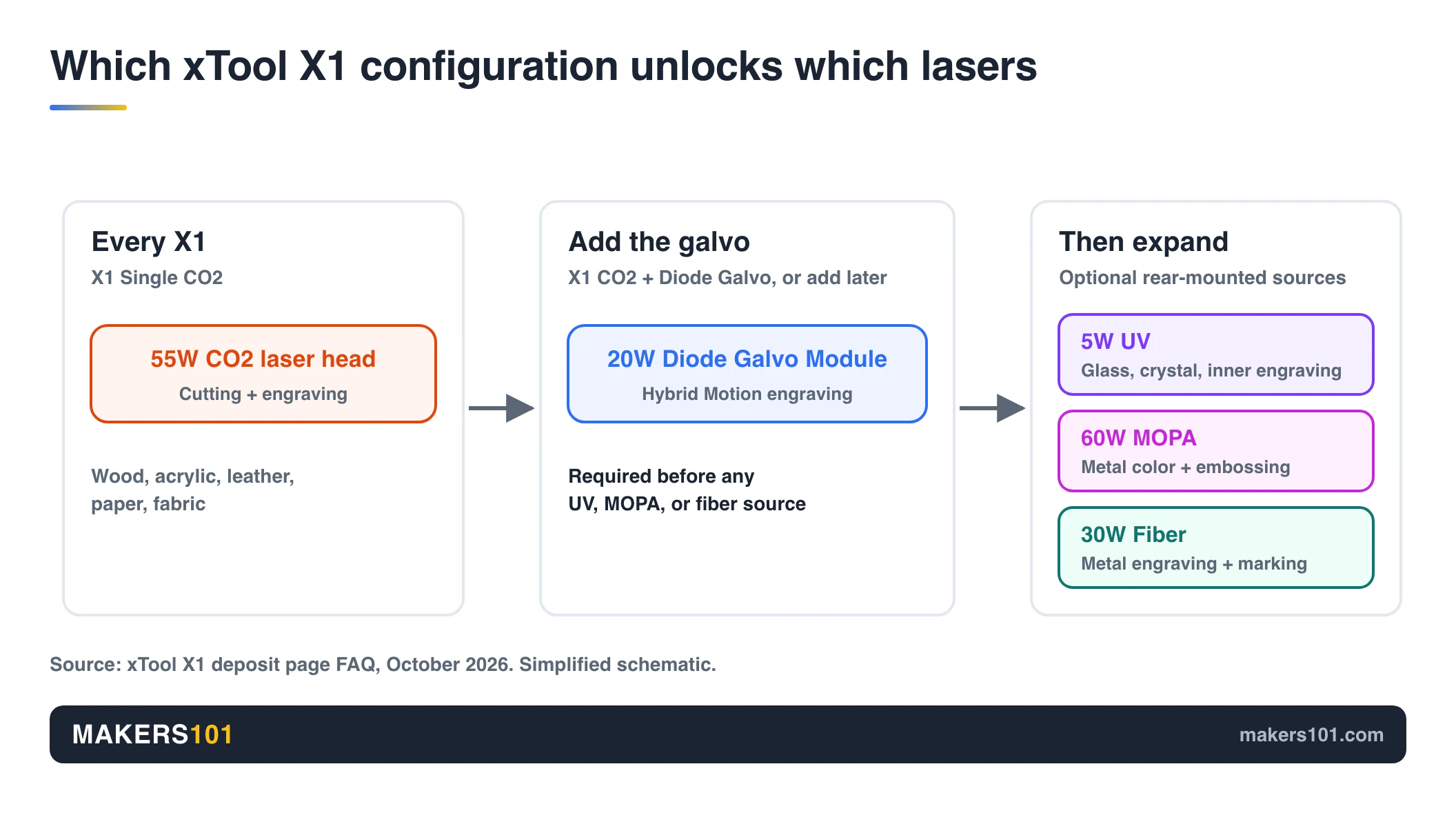
Everything that makes the X1 distinctive runs through the 20W Diode Galvo Module. Hybrid Motion depends on it, and you need the module before you can add the UV, MOPA, or fiber sources.
It can be added to a Single CO2 machine later.
The deposit is $100 and comes with $308 in extras: a Fire Safety Set 2, a 20% discount card for xTool materials, and six months of Atomm Max. It also includes 60-day price protection and an entry into xTool’s X1 giveaway.
Deposits close October 28 at 5:00 PM PDT, and final payment runs from that evening until December 1. You can get the deposit back any time before final payment; after that it becomes part of the purchase.
Launch stock is limited. Machines ship from October 29, in the order purchases are completed. Reserve through xTool’s X1 deposit page.
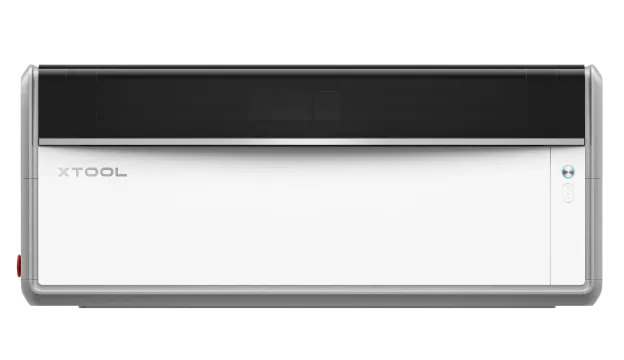 One platform, five laser source options.
6,000 mm/s galvo24.2 × 12.6 in galvo areaClass 1 laser3 cameras
One platform, five laser source options.
6,000 mm/s galvo24.2 × 12.6 in galvo areaClass 1 laser3 cameras
xTool X1 Design and Build Quality
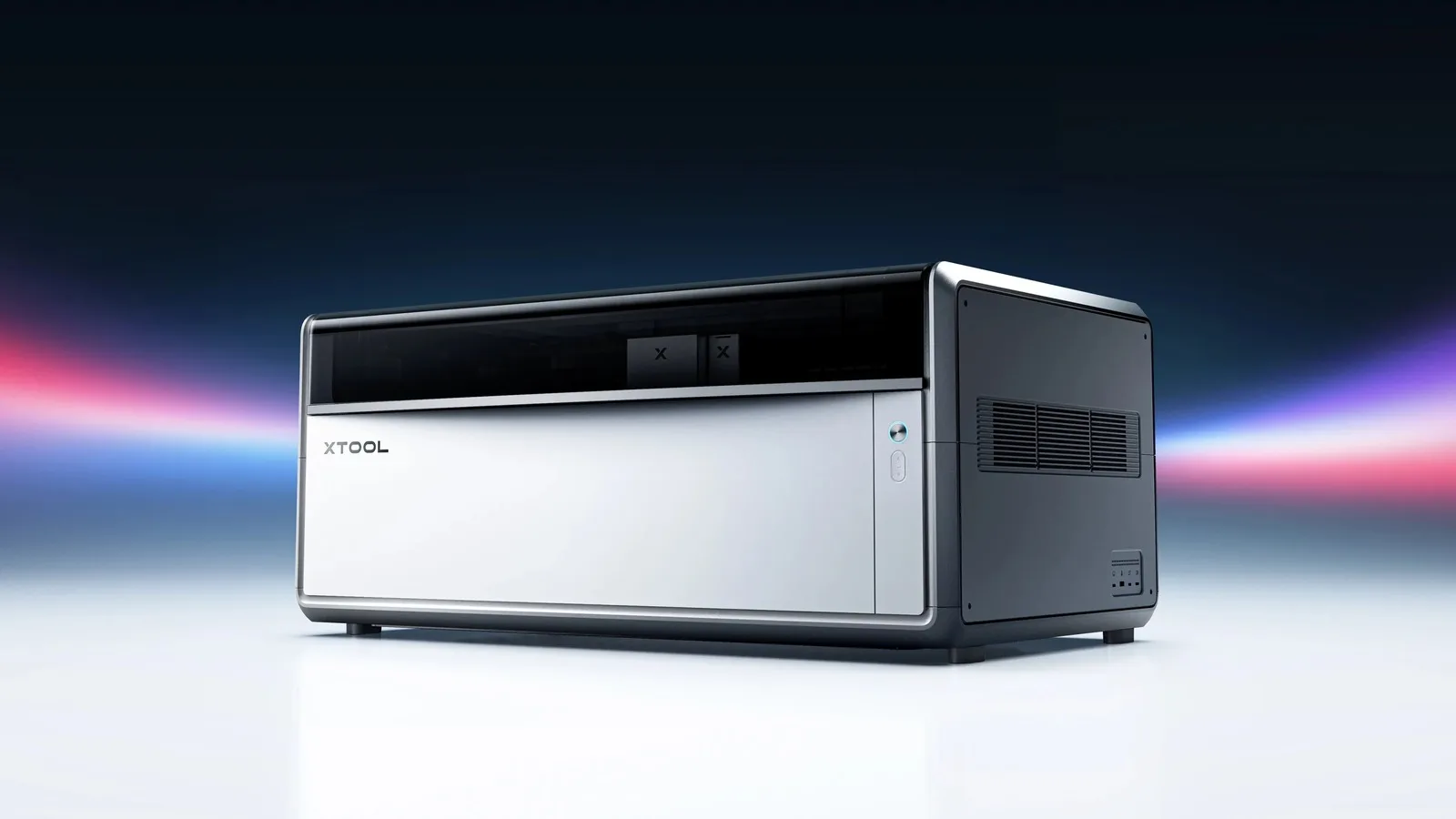
The X1 reads as a production machine before you switch it on. A white lower body sits inside a satin silver aluminum frame with generously rounded corners, under a smoked, glossy lid.
Across the back runs a black glass strip with a fine diamond pattern, the X1 badge, and a small “Designed by xTool” mark.
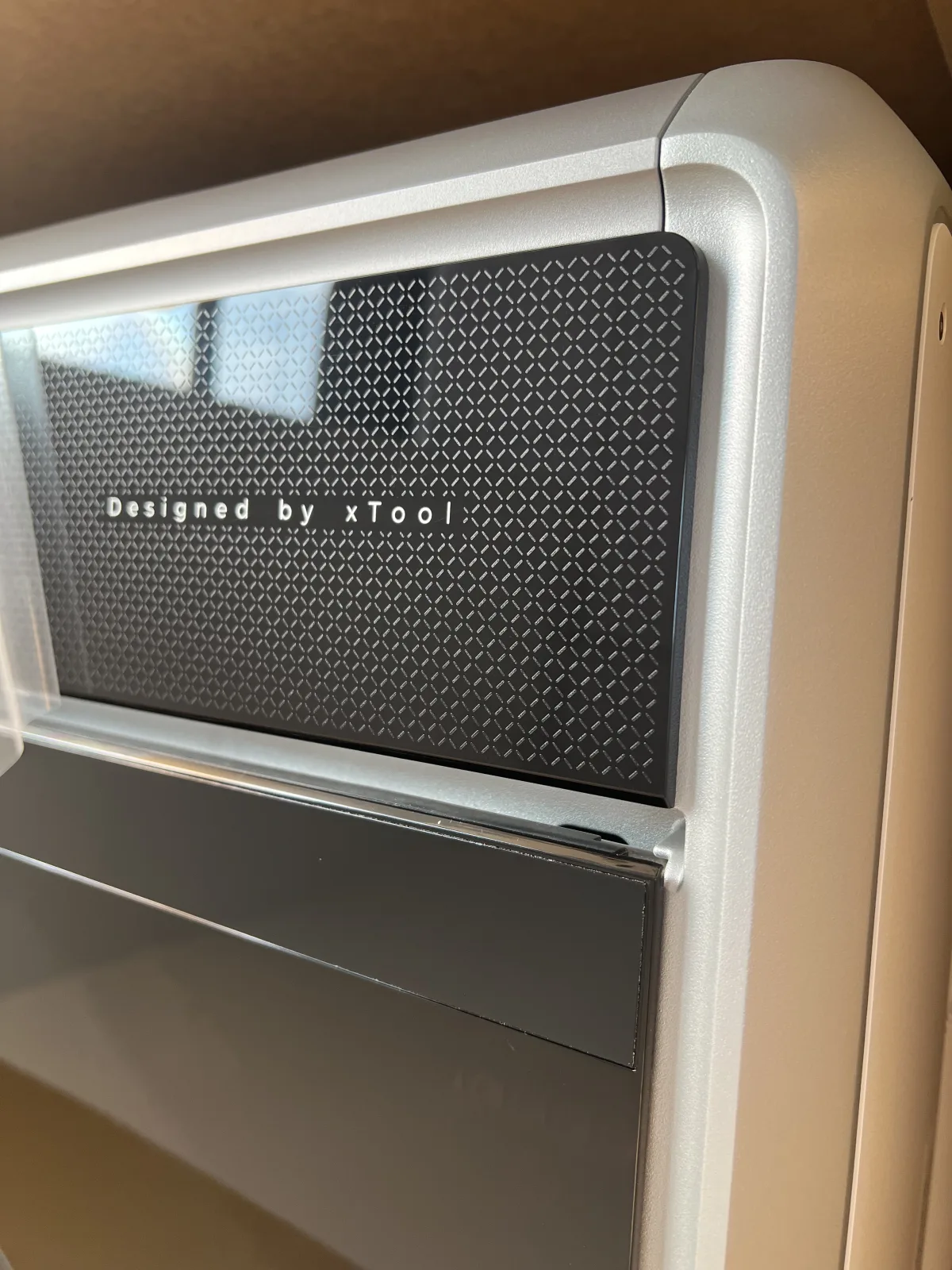
The body is built from three large die-cast sections of automotive-grade aluminum, formed on a 4,000-ton press. They replace nearly 100 assembled parts and more than 268 screws, so the enclosure has far fewer seams and brackets than a conventional sheet-metal laser.
That construction does more than look tidy. The X1 has to keep a gantry and several optical paths in alignment, and every joint in a frame is a place where alignment can drift. Whether the casting holds calibration over months is a question for long-term testing, but it’s the right foundation.
Most of the hardware is integrated, so the X1 arrives as one finished machine with very little to bolt on.
A triple-camera system handles material detection, alignment, and height measurement, and the enclosed machine is rated Class 1 for laser safety.
Open the lid and the layout explains the concept. The CO2 beam travels along the gantry, while the galvo head carries the 20W diode and receives the beam from whichever add-on source is mounted. Underneath, the AutoLift base raises or lowers the bed to the right working height on its own.
Add-on sources mount on the rear as self-contained backpacks. On my unit that’s the 60W MOPA. Keeping it behind the machine leaves the work area clear and keeps the X1’s outline clean.
xTool X1 Specs, Dimensions, and Working Area
The 24.2 × 12.6 in figure is the galvo processing area. The usable area changes with the laser source and the process, so inner engraving and relief work cover a smaller field than flat engraving.
| Spec | xTool X1 |
|---|---|
| Frame | Three die-cast aluminum sections (UniCast) |
| Built-in lasers | 55W CO2 laser; 20W blue diode in the galvo head |
| Add-on sources | 30W fiber, 60W MOPA, 5W UV (rear-mounted) |
| Galvo speed | Up to 6,000 mm/s |
| Galvo processing area | 24.2 × 12.6 in |
| Pass-through length | Up to 118 in with the conveyor feeder |
| Cameras | Three (material detection, alignment, height) |
| Laser safety | Class 1 |
| Processes | Cutting, surface, relief, color, and inner engraving |
| Size (my measurement) | About 39.4 × 21.7 × 17.7 in (100 × 55 × 45 cm) |
| Weight | Over 110 lb (50 kg); a two-person lift |
xTool X1 First Impressions: Space, Weight, and Workflow
Start with where it will live. My unit measures about 39 × 22 × 18 inches and weighs well over 110 pounds, so moving it is a two-person job. Choose its spot, and the mobile work stand if you’re using one, before delivery day.
Day to day, the X1 is built to remove setup steps. Set the material on the bed, and the cameras locate it while the AutoLift base brings it to the right height. Fewer manual checks between jobs is what makes a machine like this practical for batch work.
Swapping laser sources feels closer to changing a tool head on a workshop machine than flipping a setting. That suits the small shops the X1 is built for, where one machine handles wood in the morning and metal tags in the afternoon.
My unit is a pre-launch review sample. I’m saving judgments on processing quality for the full review, when results can be measured on production firmware.
How xTool X1 Hybrid Motion Works
Hybrid Motion pairs two ways of moving a laser beam. A gantry, the rail-and-carriage system on most desktop lasers, covers a large bed but carries real mass. A galvo steers the beam with two lightweight mirrors, which is extremely fast but limited to a small field.
The X1 mounts the galvo on the gantry, so a fast scanning field travels across the bed. The result is a 24.2 × 12.6 in galvo processing area, up to four times the field of a typical galvo laser.
The galvo is rated at up to 6,000 mm/s, though complete jobs also depend on gantry moves and the number of passes. That suits large engravings with fine detail, batches of small parts, and jobs that combine CO2 cutting with diode engraving without moving the material.
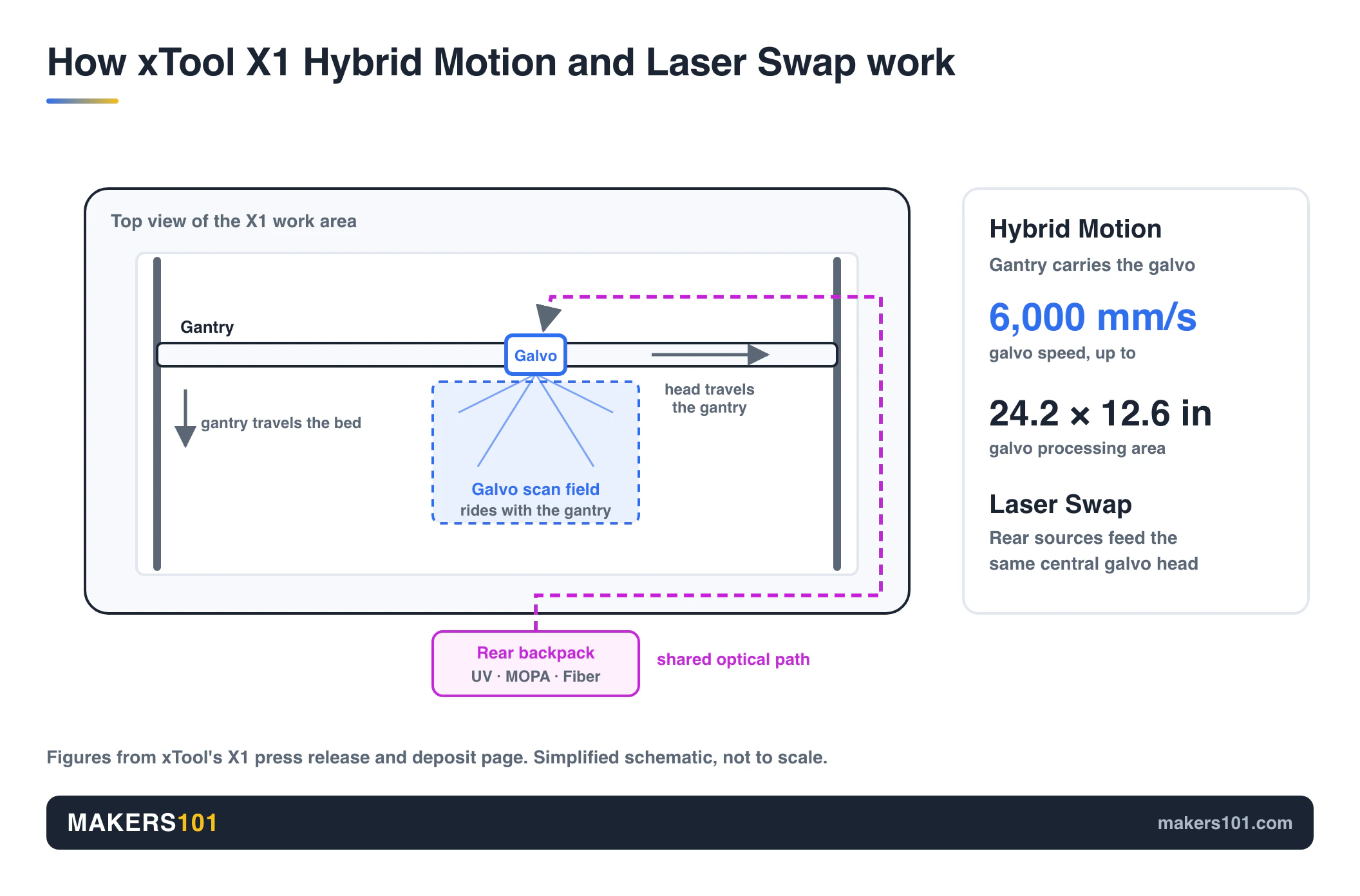
The difficult part is stitching, where software joins neighboring scan fields into one seamless image. More than 50 optical designs and over 1,000 calibration tests went into it. Seam quality on large engravings is the first thing our review will measure.
xTool X1 Laser Sources and Materials
Each wavelength suits a different group of materials, and Laser Swap routes all three add-on sources through the same galvo head.
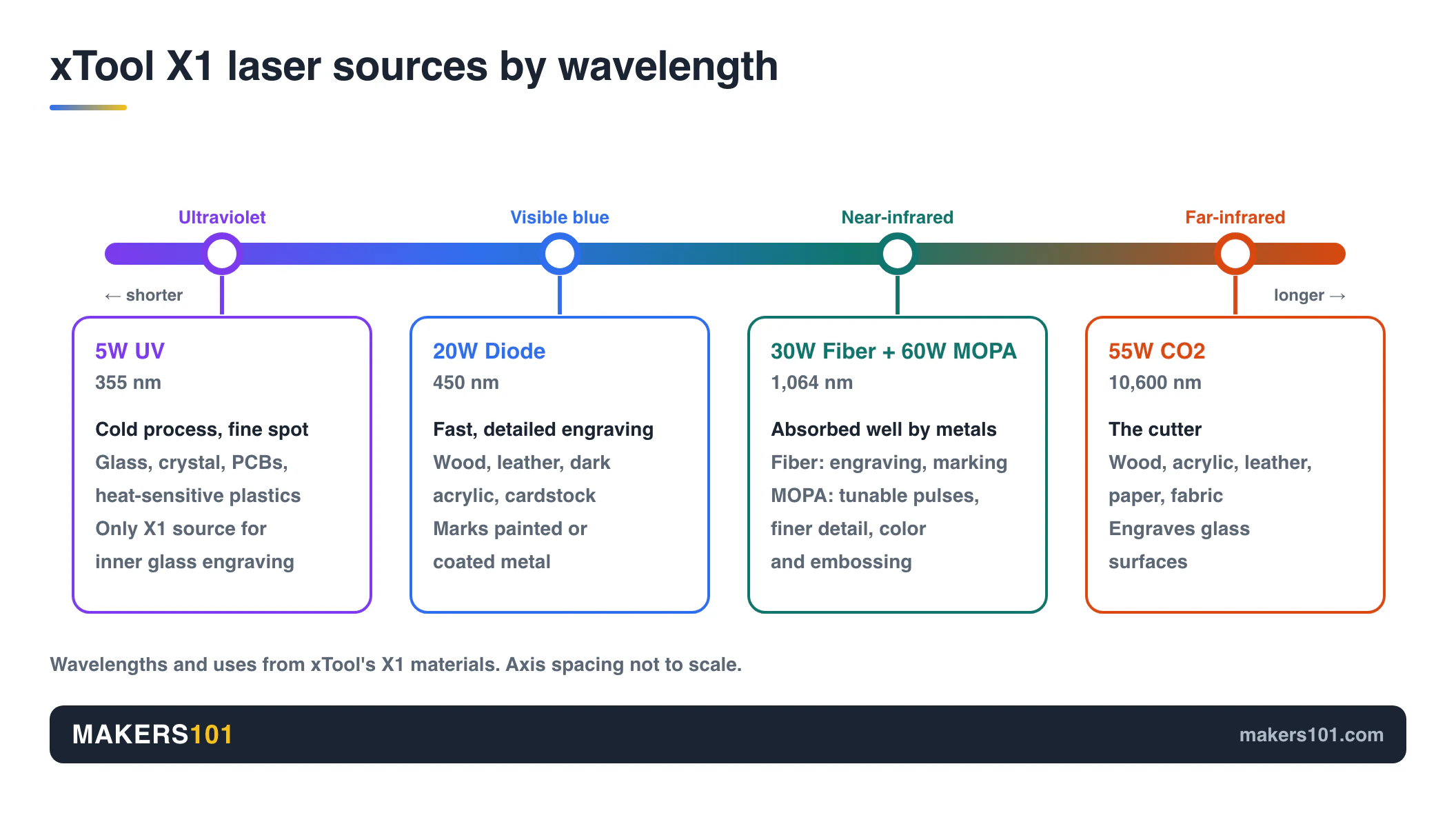
| Laser source | Wavelength | Best suited to | On my bench |
|---|---|---|---|
| 55W CO2 | 10,600 nm | Cutting wood, acrylic, leather, paper, and fabric; engraving glass | Yes |
| 20W blue diode | 450 nm | Fast, detailed engraving on wood, leather, dark acrylic, and cardstock; marks coated metals | Yes |
| 30W fiber | 1,064 nm | Marking and engraving stainless steel, aluminum, and brass | No |
| 60W MOPA | 1,064 nm | Metal marking, color on stainless steel, black marks on aluminum | Yes |
| 5W UV | 355 nm | Glass, crystal, PCBs, and heat-sensitive plastics; the only X1 source for engraving inside glass | No |
MOPA (Master Oscillator Power Amplifier) is a fiber laser with adjustable pulse width and frequency. Compared with the 30W fiber, it delivers finer detail, faster processing, and better color engraving and embossing.
UV works as a low-heat process with a very fine spot, which is why it can engrave inside a glass block with clean edges and minimal burning.
Because the gantry carries the galvo, the metal and glass sources work across a larger area than a typical stand-alone galvo machine. Extra sources earn their place only when your work needs them.
A shop selling engraved tumblers and crystal keepsakes will use them; a weekend plywood maker mostly won’t. Our guide to diode, CO2, and IR lasers covers the wavelength basics.
xTool X1 Accessories and Software
The X1 Intelligent Conveyor Feeder pulls sheets up to 118 inches long through the machine, so signs and panels far longer than the bed can run as one job.
The X1 Mobile Work Stand gives the machine its own base and supports the feeder, so long sheets don’t need a second table.
Fire Safety Set 2, free with a deposit, adds automatic fire extinguishing. The X1 also works with xTool’s RA3 rotary attachment, the AP2 and AP2 Max air purifiers, and the IF2 inline fan.
Software runs through xTool Studio, which assigns each part of a job to the right laser. xTool’s Automated Creation System (ACS) pairs the cameras with the AutoLift base for a “Place & Go” workflow: set the material down, and the machine finds it and sets the height.
Atomm, xTool’s AI creation suite, turns prompts and photos into ready-to-make files, suggests material settings, and offers more than 130 design generators. See the latest Atomm upgrade for the full feature list. LightBurn support hasn’t been confirmed.
What Our xTool X1 Review Will Test
The full review follows the October 28 launch, on production firmware. It will measure:
- Seam quality where galvo fields meet on large engravings
- CO2 cutting depth on plywood, MDF, and acrylic
- MOPA color and black marking on stainless steel and aluminum
- Repeatability after swapping laser sources
- Feeder alignment across long sheets
- Noise and fume handling in a home studio
Finished projects from my unit will appear here as testing continues.
FAQ: xTool X1 Questions Answered
What is the xTool X1?
The xTool X1 is a modular laser platform that combines a 55W CO2 laser with a gantry-mounted galvo. It can expand to five laser sources, including UV, MOPA, and fiber, on one machine.
How much does the xTool X1 cost?
The xTool X1 launch price is $3,399 for the Single CO2 and $3,999 for the CO2 + Diode Galvo, down from $3,699 and $4,299. Add-on sources cost $1,999 (30W fiber), $2,999 (5W UV), and $3,199 (60W MOPA).
What is the xTool X1 release date?
The xTool X1 launches on October 28, 2026, at 6:00 PM PDT, when final payment opens. Deposits opened on October 12, and shipping starts on October 29.
Is the xTool X1 deposit refundable?
Yes. The $100 xTool X1 deposit is fully refundable until you make the final payment. After that, it counts toward the purchase price. You can place it on xTool’s X1 deposit page.
Which laser sources does the xTool X1 support?
Every xTool X1 has a 55W CO2 laser. The 20W Diode Galvo Module adds a blue diode and enables the rear-mounted 30W fiber, 60W MOPA, and 5W UV sources.
How big is the xTool X1?
My xTool X1 measures about 39.4 × 21.7 × 17.7 in (100 × 55 × 45 cm) and weighs over 110 lb (50 kg). The galvo processing area is 24.2 × 12.6 in, and the conveyor feeder handles material up to 118 in long.
Does the xTool X1 support LightBurn?
LightBurn support for the xTool X1 hasn’t been confirmed. The machine runs on xTool Studio, with Atomm for AI-assisted design.
Should I choose the xTool X1 or the F Ultra series?
Choose the X1 for versatility, larger projects, and future expansion. Choose the F Ultra series if speed, up to 15,000 mm/s, and portability matter more.
Sources and Disclosure
xTool sent me the X1 and its accessories free of charge for testing and didn’t review this article before publication. Links to xTool may become affiliate links, which means Makers101 could earn a commission at no extra cost to you.
Specifications, pricing, and deposit terms come from xTool’s X1 announcement, the August 27 reveal and xTool’s X1 deposit page. Design and first-impression observations come from my own review unit.