
I earn a commission if you buy through links on this page, at no extra cost to you. As an Amazon Associate, I earn from qualifying purchases.
You searched “xTool F2 vs F2 Ultra” expecting a close call between two similar machines. Then you saw the price tags and wondered if you’d missed something.
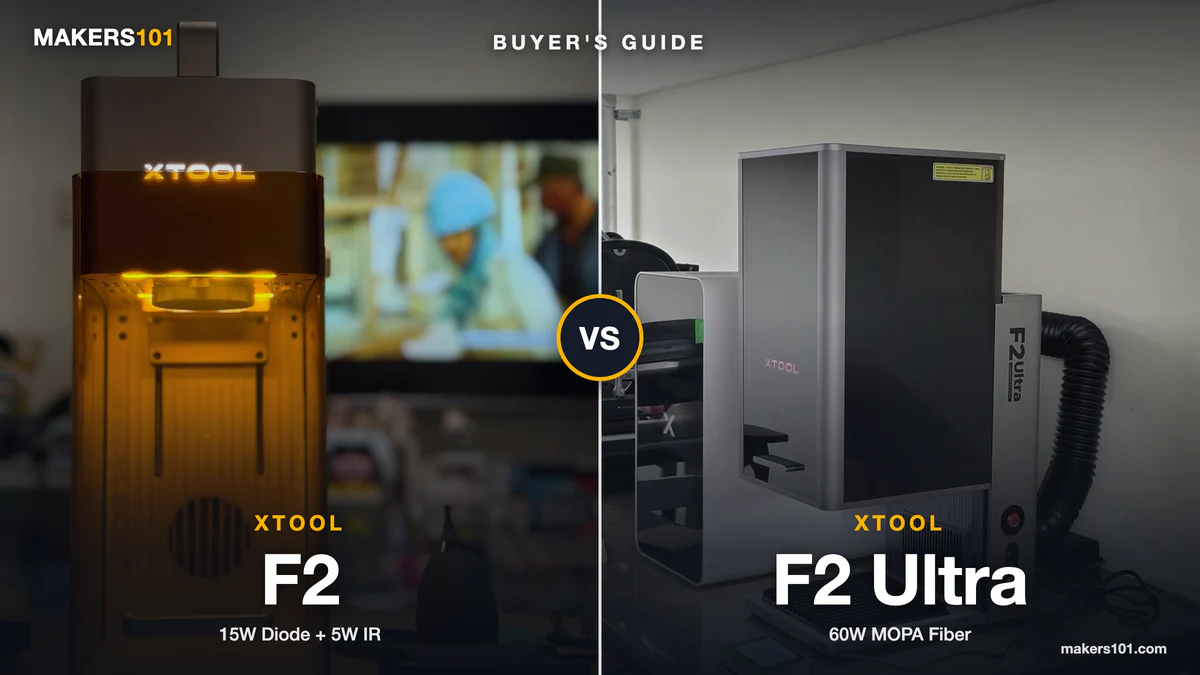
You didn’t miss anything. The F2 and F2 Ultra aren’t peers. One is a 10-pound machine you can carry to a craft fair in a tote bag.
The other is a 47-pound production tool that ships with “TEAM LIFT” printed on the box. The $4,000 gap between them is the point.
This breaks down exactly what that gap buys, what real owners have reported going wrong, and which tier actually matches your project list. It also covers the F2 Ultra UV, a third xTool machine that quietly shows up in half the buyer threads asking this exact question.
Table of Contents
- xTool F2 vs F2 Ultra: Specs at a Glance
- xTool F2 vs F2 Ultra: What’s Actually Different
- xTool F2 vs F2 Ultra Price Comparison: What the Gap Buys
- xTool F2 vs F2 Ultra Speed Test: Marketing Numbers vs. Real Project Time
- Metal and Color Engraving: Where the xTool F2 Ultra Earns Its Price
- Wood, Acrylic, and Plastic Engraving: xTool F2 vs F2 Ultra
- xTool F2 vs F2 Ultra: Portable Laser vs. Fixed Shop Station
- xTool F2 Ultra Reliability: What Real Owners Are Reporting
- xTool F2 Ultra vs. F2 Ultra UV: The Third Option Nobody Mentions
- xTool F2 vs F2 Ultra: Which One Should You Buy?
- FAQ: xTool F2 vs F2 Ultra
- xTool F2 vs F2 Ultra: Specs at a Glance (Full Recap)
xTool F2 vs F2 Ultra: Specs at a Glance
The short version: the F2 trades power for portability and price. The F2 Ultra trades price for metal-grade power and a permanent spot on your bench.
| xTool F2 | xTool F2 Ultra (Dual) | |
|---|---|---|
| Price, xtool.com (Oct 14, 2026) | $1,299 (sale; list $1,499) | $5,299 |
| Laser source | 15W diode + 5W IR | 60W MOPA fiber + 40W diode |
| Max speed | 6,000mm/s | 15,000mm/s |
| Work area | ~220×220mm class | 220×220mm (220×500mm with conveyor) |
| Weight | 4.6kg / 10.1lb | 21.6kg / 47lb |
| Cutting | ~15mm basswood, ~12mm acrylic | Brass up to ~2mm, sculpted 3D relief |
| Color engraving | Basic color marking (5W IR) | 100+ saturated metal colors (60W MOPA) |
| Best for | Portable, small-batch, craft fair work | Production metal engraving, color work |
xTool F2 vs F2 Ultra: What’s Actually Different
The F2 and F2 Ultra share a name and a similar camera-guided workflow. That’s close to where the similarity ends.
The F2 is a portable galvo laser: 15W diode for wood, acrylic, and dark materials, plus a 5W IR module for basic color marking on metal. It’s light enough to carry in one hand, with a top handle and a base that pops off for engraving curved objects. A 50MP camera handles placement.
The F2 Ultra is a different category of machine. It’s stationary, considerably heavier, and comes in two configurations. The Dual version pairs a 60W MOPA fiber laser with a 40W diode.
The Single version drops the diode and keeps just the 60W MOPA, which makes it cheaper but metal-only: it can’t touch wood or acrylic at all. Both run dual 48MP cameras.


One way to picture the wider F-series: F1 is the four-cylinder commuter car, F2 is the six-cylinder upgrade, and F1 Ultra is the eight-cylinder performance trim. F2 Ultra is the diesel work truck.
It isn’t a straight upgrade from F1 Ultra so much as a different vehicle built for a different job, and the same logic applies going from F2 to F2 Ultra. You don’t “level up” a craft-fair laser into a metal shop. You buy the machine built for metal shop work.
Compared to the F1 it replaces, the F2 itself is a real step up: about 50% faster cutting speed, plus the newer 50MP camera. One reviewer called it “the easiest laser xTool has ever made,” and the placement accuracy is the main reason why.
xTool F2 vs F2 Ultra Price Comparison: What the Gap Buys
The F2 Ultra costs roughly four times what the F2 does. That buys a different laser type. It buys a genuinely different production capacity too.
Pricing moves fast on both of these. As of October 14, 2026, the F2 is on sale at $1,299 standalone on xtool.com, down from its $1,499 list price.
That matches the $1,299 sale price it carried earlier this year. The F2 Ultra Dual has dropped from $6,499 to $5,299 standalone on xtool.com. If you only need the MOPA laser and not the diode, the Single version starts at $4,299. Amazon prices for both change often, so check the current price on the cards before you buy. The MOPA-only F2 Ultra already costs less than it did at checkout last Black Friday.


xTool F2 vs F2 Ultra Speed Test: Marketing Numbers vs. Real Project Time
On paper, the F2 Ultra is 2.5 times faster than the F2. In the shop, the real gap depends on the job, and marketing speed rarely matches invoice time.
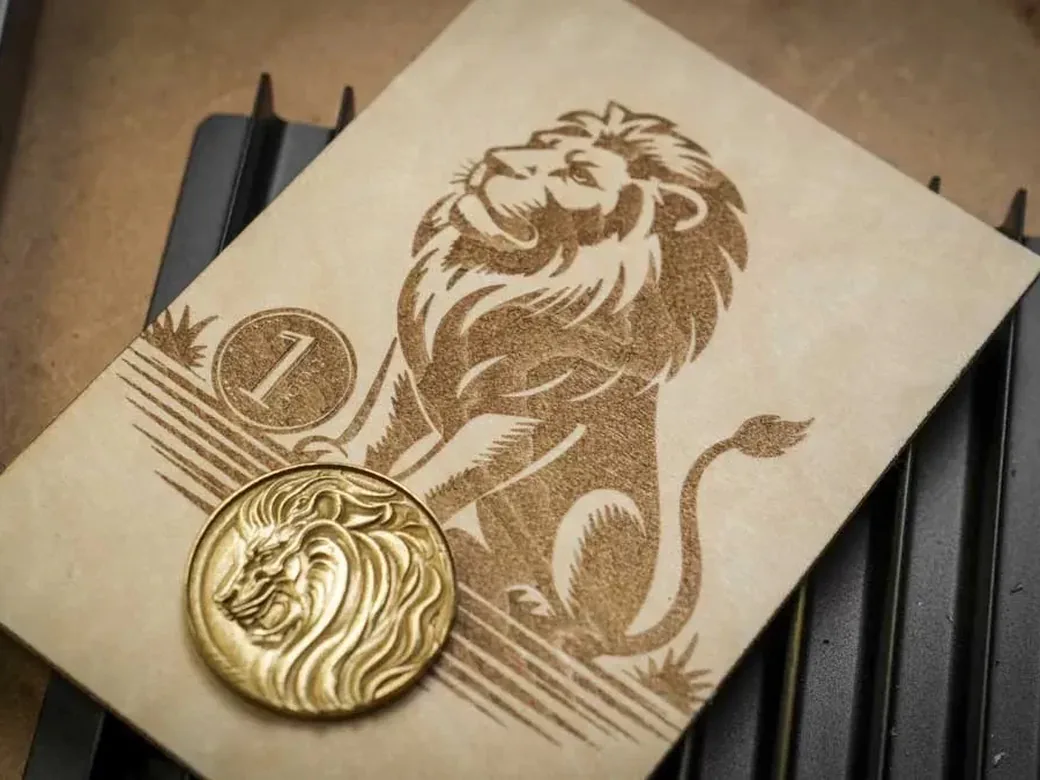
One independent reviewer’s side-by-side test tells the story. Engraving the same depth-map coin design, an F2 Ultra reached over 3mm of relief in about 3 hours. An F1 Ultra (the F2 Ultra’s predecessor-tier machine, at 20W) managed only about 1.5mm and took 4.5 hours for a shallower result. Push the F2 Ultra to its 15,000mm/s ceiling and that same coin finishes in 35 minutes, still with good detail.
Fast doesn’t mean instant, though. One F2 Ultra owner logged a stainless-steel color engrave that took over 3.5 hours, and a separate brass coin job that took another 3.5 hours. xTool markets “100+ Colors With One Click,” but the same owner reported burning through 144 job runs across 13 days hand-tuning color settings to get consistent results. Budget real dial-in time before you price a color-engraving job for a customer.
One reviewer’s own before-and-after testing found the F2’s gains over the F1 easier to pin down. Basswood cutting speed came in up 30-33%, black acrylic cutting up 25-30%, and a business-card engrave that took about 90 seconds on the F1 finished in under a minute on the F2. The 50MP camera’s placement accuracy is precise enough that one reviewer used it confidently on pre-cut jewelry pieces, aligning designs within a fraction of a millimeter.
Metal and Color Engraving: Where the xTool F2 Ultra Earns Its Price
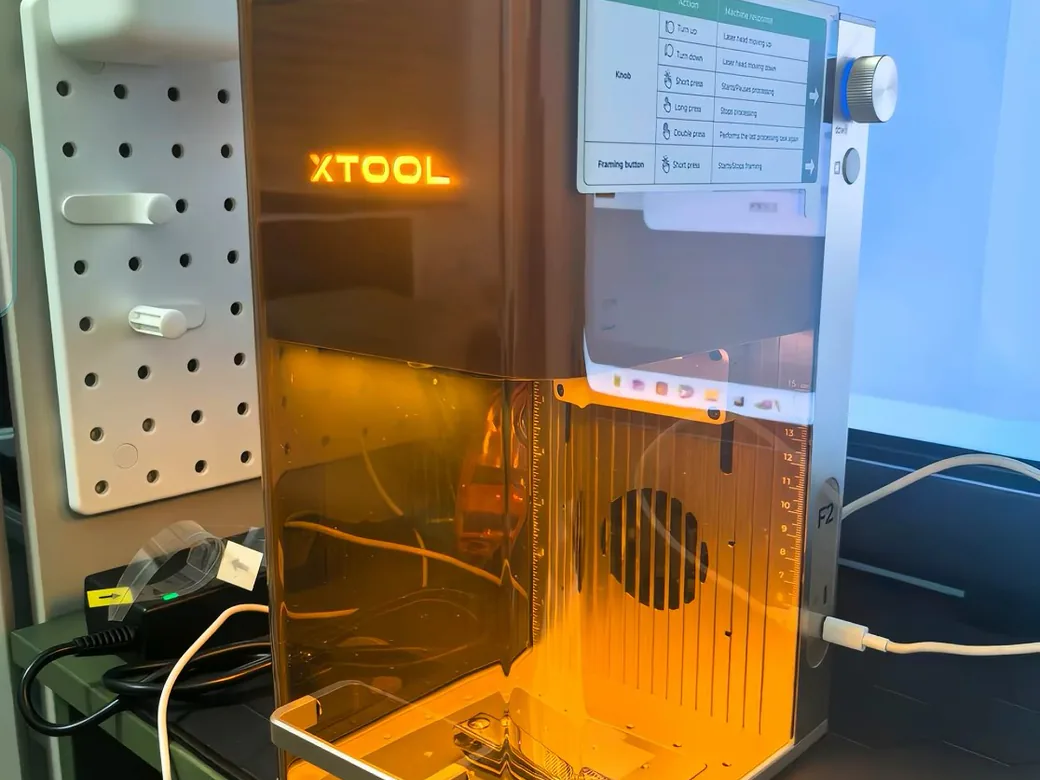
This is the one category where the F2 Ultra isn’t just faster. It does things the F2 physically can’t.
The F2’s 5W IR module handles small metal marking well: keyrings, pens, charms, that kind of work. It’s not built for deep engraving or heavy production runs. The F2 Ultra’s 60W MOPA fiber laser is a different tool entirely, capable of 100+ saturated colors on metal and real depth work.
A precision metal inlay project shows the ceiling. One F2 Ultra owner cut a 2mm brass inlay in 7 minutes, then engraved a matching 1mm-deep pocket into a steel base plate in 30 minutes.
The fit was tight enough to lock in place with a few light hammer taps. No adhesive. No hand tools.
Keep expectations honest, though. Color on stainless steel is angle-dependent: one reviewer described needing to “hold your head just right to see it,” which is a real gap between the marketing photos and how the finished piece looks in hand.
For the underlying technology difference between diode, fiber, and IR lasers, the diode vs CO2 vs IR laser breakdown covers it in more depth than this comparison needs to.
Wood, Acrylic, and Plastic Engraving: xTool F2 vs F2 Ultra
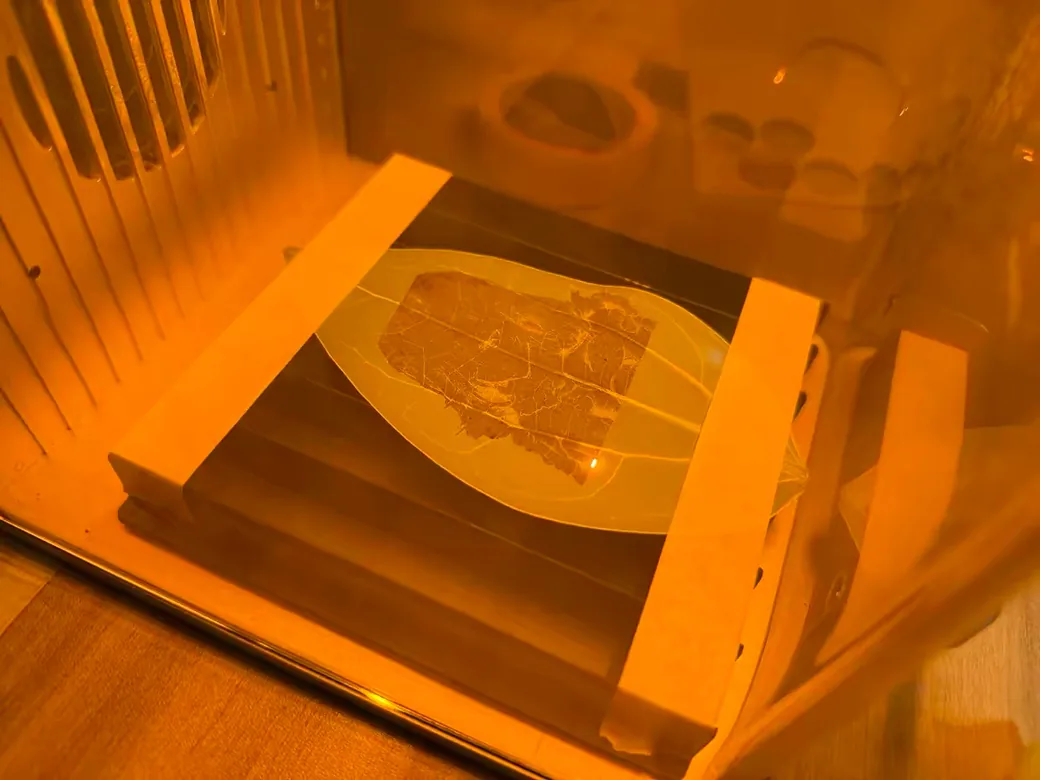
Wood and acrylic are where the F2 holds its own. Colored plastic is where it runs into a wall.
In one independent reviewer’s material tests, the F2 produced darker, higher-contrast wood engravings than a UV-based Ultra-tier machine, but the results showed more visible grain and looked blotchier. Cutting told a rougher story. The F2 needed full power, charred the edges, and one test cut didn’t go all the way through. The F2 handles roughly 15mm basswood and 12mm acrylic at full capability, which covers most craft and small-furniture work.
Colored plastic is a genuine limitation. In that same reviewer’s testing, the F2’s infrared laser couldn’t mark green PLA at all, while a UV-based machine produced a clean white mark on the same material. That gap matters if you’re pairing a laser with a 3D printer for personalization work. One seller running a four-figure monthly Etsy business does exactly that, engraving names and logos onto Bambu Lab prints, and still can’t get a bright white mark on black PLA with an IR or diode laser after months of testing different filaments.
Glass has a similar split. The F2 needs a coating, like temporary chalk paint, before it can engrave glass cleanly. Direct glass and crystal engraving belongs to a laser type neither the F2 nor the standard F2 Ultra Dual/Single carries, which brings up the third machine in this conversation.
xTool F2 vs F2 Ultra: Portable Laser vs. Fixed Shop Station
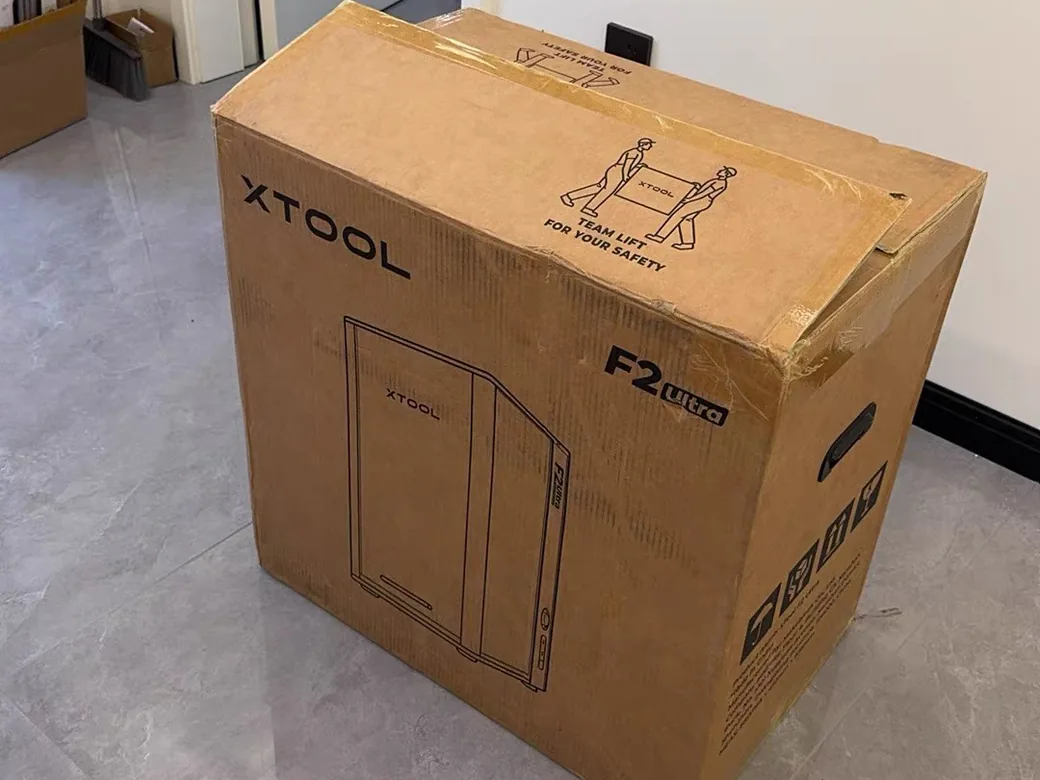
The F2 fits in a backpack. The F2 Ultra needs a permanent spot on a bench and two people to get it there.
I unboxed both of these for photos, and the weight difference is the first thing you notice. The F2 comes out of the box one-handed. The F2 Ultra doesn’t budge until a second person shows up.
At 4.6kg with a top carry handle and a detachable base for curved objects, the F2 is genuinely grab-and-go. It’s the machine you’d bring to a craft fair, a pop-up shop, or a client’s site for on-location personalization. The F2 Ultra tips the scale at 21.6kg, arrives in a box heavy enough to need two people, and is built to live in one place.
Neither approach is wrong. It depends on whether your business moves or your customers do.
xTool F2 Ultra Reliability: What Real Owners Are Reporting
Before you spend $5,000 or more, know this. F2 Ultra owners have reported real hardware failures across multiple independent threads.
Three separate, independent threads describe the same pattern: a machine that runs fine for weeks or months, then a module stops firing with no warning. One unit quit after seven months, running for 10-15 minutes before failing each time with no overheat alarm. Another died at two weeks; xTool approved a replacement in writing, but the owner then had to fight through a support process that asked them to restart the claim. A third arrived dead out of the box.
To be fair to xTool, affected owners in those same threads describe the support team as generally good-faith, if slow. Time-zone lag is the most common complaint, and getting a stuck claim moving sometimes takes an escalation call. Factor that into the price tag: at this tier, a MOPA module failure can take your shop offline for weeks.
xTool F2 Ultra vs. F2 Ultra UV: The Third Option Nobody Mentions
A lot of the “F2 vs F2 Ultra” searches on Reddit turn out to be people actually choosing between the F2 Ultra and a different xTool machine entirely: the F2 Ultra UV.
The Ultra UV runs a 5W UV laser instead of the MOPA fiber or diode combo. Different laser. Different job. It can’t deep-engrave metal the way the 60W MOPA can.
What it does instead: engrave glass directly with no coating step, mark inside crystal, and put clean color on plastics that an IR laser simply can’t touch, including that green PLA test case from earlier. On aluminum specifically, one side-by-side ranked darkness output as F2 Ultra (MOPA) first, F1 Ultra second, F2 Ultra UV third, and F2 last.
This article is about the F2 versus the F2 Ultra (MOPA/Diode) specifically. If glass, crystal, or colored-plastic work matters more to your business than deep metal engraving, put the Ultra UV on your shortlist too before you commit. For a closer look at how diode, fiber, MOPA, and UV modules actually differ on a comparable galvo machine, the Falcon T1 modules guide walks through the tradeoffs in more detail.
xTool F2 vs F2 Ultra: Which One Should You Buy?
Budget-conscious hobbyist or first laser: get the F2. It covers wood, acrylic, leather, and basic metal marking at about a quarter of the Ultra’s price, and it’s a lower-risk way to find out if you actually enjoy laser work.
On-site or craft-fair business (hat presses, personalized gifts, pop-up shops): the F2 still wins, unless deep metal engraving is central to what you sell. Its portability is the whole value proposition here. For booth ideas, here’s what sells at craft fairs and online.
Production shop doing metal color or inlay work daily: the F2 Ultra earns its price. Go Dual if you still need the diode for wood or acrylic; go Single (MOPA-only) if the work is metal exclusively and you want to save $1,000.
Running a 3D-printing side business and personalizing parts for Etsy or local sales: neither machine nails bright-white marks on colored PLA. Look at the F2 Ultra UV instead, and read the section above before you buy either.
If you’re trying to work out what a laser side business actually costs to run per piece before you commit to either tier, the 3DPKit Print Cost Calculator is worth ten minutes.
Not sure F2 or F2 Ultra is even the right tier for you? We ranked every current xTool model by use case here.
Still weighing options outside the xTool lineup? The best laser engravers guide covers other brands by type and budget, and Creality’s Falcon T1 vs xTool F1 Ultra is worth a look if you want a modular alternative at an adjacent price point.

FAQ: xTool F2 vs F2 Ultra
Is the xTool F2 Ultra worth the price jump over the F2?
Only if your work needs metal depth or 100+ color engraving that the F2 can’t produce. For wood, acrylic, and light metal marking, the F2 covers the same ground for roughly a quarter of the price. That’s the core of the xTool F2 vs F2 Ultra decision: buy for the job in front of you. Comparing it against machines at other prices too? We lined those up here.
What’s the actual difference between the xTool F2 and F2 Ultra?
Laser source and scale. The F2 pairs a 15W diode with a 5W IR module in a lightweight, portable body. The F2 Ultra runs a 60W MOPA fiber laser, optionally joined by a 40W diode, in a heavy, stationary body built for production work.
Do the xTool F2 and F2 Ultra support LightBurn?
Neither does. xTool’s support documentation confirms the F2 lost LightBurn support when its open-protocol connections were removed for data-transmission security, and xTool has since confirmed the F2 Ultra isn’t compatible either, for the same reason. Both machines run on xTool’s own XCS/xTool Studio software instead. If you’re used to tweaking settings in LightBurn, that’s worth knowing before you buy into either one.
What’s the difference between the xTool F2 Ultra (MOPA/Diode) and the F2 Ultra UV?
Different laser entirely. The MOPA/Diode version is built for deep metal engraving and cutting. The UV version trades that metal depth for engraving glass and crystal directly, plus color work on plastics the other two can’t mark.
Do I need the xTool F2 Ultra Dual laser version, or is the Single (MOPA-only) enough?
If you only work in metal, Single saves about $1,000. If you also want to cut or engrave wood and acrylic on the same machine, you need Dual for the diode module.
xTool F2 vs F2 Ultra: Specs at a Glance (Full Recap)
| Spec | xTool F2 | xTool F2 Ultra (Dual) |
|---|---|---|
| Full name | xTool F2 (5W IR & 15W Diode Portable Dual Laser Engraver) | xTool F2 Ultra (60W MOPA & 40W Diode Dual Laser Engraver) |
| ASIN | B0G1LDYYC3 | B0FHWVMX2L |
| Price, xtool.com | $1,299 sale (list $1,499) | $5,299 (Single/MOPA-only: $4,299) |
| Prices as of | October 14, 2026 | October 14, 2026 |
| Laser type | Galvo: 15W diode + 5W IR | Galvo: 60W MOPA fiber + 40W diode |
| Max speed | 6,000mm/s | 15,000mm/s |
| Work area | ~220×220mm class | 220×220mm (220×500mm with conveyor) |
| Weight | 4.6kg / 10.1lb | 21.6kg / 47lb |
| Camera | 50MP, single | Dual 48MP |
| Cutting capability | ~15mm basswood, ~12mm acrylic | Brass up to ~2mm |
| Official page | xTool F2 on xtool.com | xTool F2 Ultra on xtool.com |
CERTAIN CONTENT THAT APPEARS ON THIS SITE COMES FROM AMAZON. THIS CONTENT IS PROVIDED ‘AS IS’ AND IS SUBJECT TO CHANGE OR REMOVAL AT ANY TIME.
Price details
Product prices and availability are accurate as of the date/time indicated and are subject to change. Any price and availability information displayed on Amazon.com at the time of purchase will apply to the purchase of this product.