
Heads up — some of the links below are affiliate links. If you buy through them, I earn a small commission (at no extra cost to you), which helps cover the gear I test. Thanks!
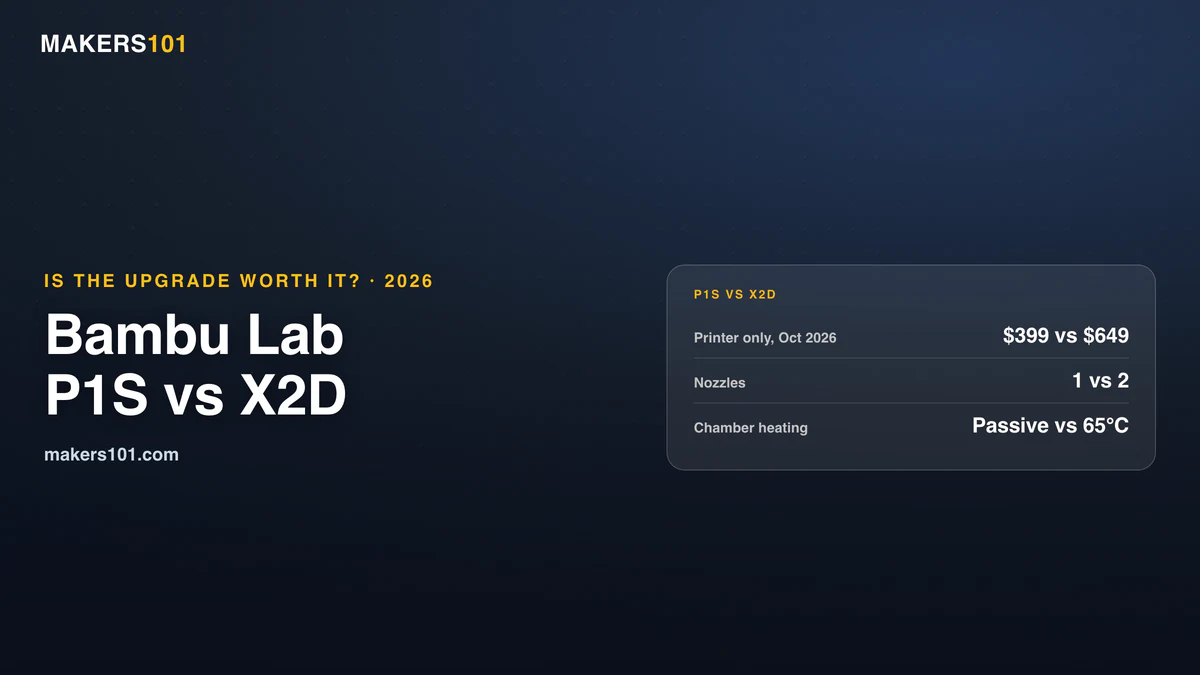
- The short answer: in the Bambu Lab P1S vs X2D matchup, the P1S still prints close to the newer machine on single-color PLA and PETG. The X2D’s extra cost buys three things: an actively heated 65°C chamber, a second nozzle for supports and spare colors, and a newer platform (hardened quick-swap nozzles, a 1080p camera, finer belts).
- Price gap: the X2D costs a full tier more on its own, and the Combo gap is wider because the X2D bundle includes the newer AMS 2 Pro (dated prices are in the tables below).
- Keep the P1S if you mostly print PLA and PETG in one or two colors.
- Move to the X2D if you print ASA, ABS, PC, or nylon every week, or you lean hard on support interfaces.
- The X2D’s catch: its right nozzle is a slower Bowden setup that can’t run soft TPU, and dual-nozzle prints lose roughly 20 mm of bed width.
You own a P1S, or you’re about to buy one, and every feed you open is full of X2D reviews. Now the printer that felt like a steal looks a little old.
Most of that worry lands on print quality. That’s the part where the two machines are closest. The real gap sits in what you print and how often you change colors or materials.
This guide walks through price, quality, speed, materials, and daily ownership, then gives you a straight answer by print type.
Last updated: October 1, 2026.
Table of Contents
- Bambu Lab P1S vs X2D at a Glance: Specs and Price Compared
- Bambu Lab P1S vs X2D Price: What the Gap Actually Buys
- Bambu Lab P1S vs X2D Print Quality: How Big Is the Gap on Single-Color Prints?
- Is the X2D Faster Than the P1S? Speed in Single-Color vs Multicolor Prints
- Bambu Lab P1S vs X2D for ABS, ASA, and Engineering Filaments
- Bambu Lab X2D Second Nozzle: Supports, a Fifth Color, and Its Limits
- Bambu Lab P1S Everyday Ownership vs X2D: Screen, Nozzle Swaps, Camera, Noise, and Power
- Should You Upgrade From the Bambu Lab P1S to the X2D? Answers by Print Type
- Frequently Asked Questions About the Bambu Lab P1S vs X2D
Bambu Lab P1S vs X2D at a Glance: Specs and Price Compared
| Spec | Bambu Lab P1S | Bambu Lab X2D |
|---|---|---|
| Price (as of Oct 1, 2026) | $399 printer / $549 Combo with AMS | $649 printer / $899 Combo with AMS 2 Pro |
| Released | July 2023 | April 2026 |
| Build volume | 256 × 256 × 256 mm | 256 × 256 × 260 mm (main nozzle); 235.5 × 256 × 256 mm (dual nozzle) |
| Nozzles | 1 × 0.4 mm stainless steel, 300°C | 2 × hardened steel quick-swap, 300°C (right one is Bowden-fed) |
| Chamber | Enclosed, no active heating (regulator fan only) | Active heating to 65°C |
| Max bed temp | 100°C | 120°C |
| Camera | 1280 × 720 at 0.5 fps | 1080p |
| Official material rating | Ideal: PLA, PETG, TPU, ABS, ASA; Capable: PA, PC | Carbon-fiber PA and PC from the main nozzle out of the box |
Prices move with promotions, so treat them as a snapshot. Specs come from Bambu Lab’s official P1S and X2D store pages.

- Up to 16 Colors: Bring your designs to life with vibrant multi-color/multi-material printing capabilities, perfect for showcasing your creativity…
- 500mm/s and 20000 mm/s² Acceleration True High Speed: Don’t wait around for your masterpieces. Lightning-fast printing speed lets you focus on…
- Enclosed Design: Fully enclosed body improves print performance for advanced filaments. Automatic Bed Leveling: Say hello to high-quality, successful…
- Set Up in 15 Minutes: Spend more time printing and less time setting up. User-friendly design ensures a hassle-free assembly experience for all skill…
- Supported Filament: Ideal: PLA, PETG, TPU, PVA, PET ABS, ASA; Capable : PA, PC; Not Recommended: Carbon/Glass Fiber Reinforced Polymer.
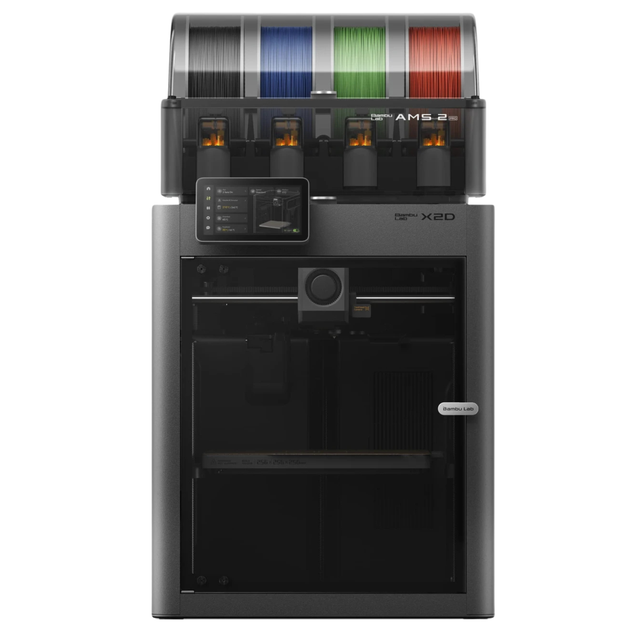
- Dual-nozzle system with a dedicated support material nozzle for clean, peelable supports
- Multi-material and multi-color printing with the AMS 2 Pro
- 300°C nozzle temperature with 65°C active chamber heating for advanced materials
- Full filament path AI detection with built-in monitoring
Bambu Lab P1S vs X2D Price: What the Gap Actually Buys
The X2D sits a full price tier above the P1S, and the gap widens on the Combo bundles:
| Price as of Oct 1, 2026 | Bambu Lab P1S | Bambu Lab X2D | Gap |
|---|---|---|---|
| Printer only | $399 | $649 | $250 |
| Combo with AMS | $549 (first-gen AMS) | $899 (AMS 2 Pro) | $350 |
The P1S Combo ships with the first-generation AMS, while the X2D Combo comes with the AMS 2 Pro. You’re comparing two different filament systems, so the bundles aren’t like for like. If you hope to move your P1S’s first-generation AMS onto an X2D, check Bambu’s compatibility list before you buy the printer alone.
- [AMS 2 Pro System]:4-slot automatic material system compatible with X1 P1 A1 H2D 3D printers
- [65°C Active Drying]:Sealed storage dehumidify moisture sensitive filaments PETG PA
- [RFID Smart Recognition]:Auto detect filament info track usage simplify material management
- [Ceramic Inlet & Long Life]:Wear-resistant ceramic bushing durable feeding for long prints
- [24-Color Multi-Material]:Cascade 4 units support 24-color printing complex model easily
Upgrading a P1S piece by piece doesn’t save much either. Rad Dad’s Print Lab, a long-time P1S owner, advises against pairing an older P1S with a new AMS. The total lands too close to a P2S to make sense.
There’s a fair counterpoint from the other side. Print N Repeat, a P1S owner of a year, argues the P1S is still worth buying in 2026. The newer platform’s extras made little difference to how they print.
If you already own a P1S, your real cost is lower than the sticker gap. A P1S owner on r/BambuLab noted that P1S resale values are still decent, which softens the jump.
There’s also a middle step. The P2S sits between these two, and our P2S vs X2D comparison covers that narrower choice.
If multicolor is your main use, run your own purge numbers through the 3DPKit print cost calculator before deciding. Filament waste is where the dual-nozzle machine claws money back.
Bambu Lab P1S vs X2D Print Quality: How Big Is the Gap on Single-Color Prints?
The gap is real and small. On a plain PLA Benchy, the X2D’s main nozzle edges ahead, and the P1S still prints a clean part.
The3dprintstop bought an X2D and printed the same Benchy on four Bambu machines. Their subjective ranking put the X2D’s left nozzle first, then the X1C, the P2S, and the P1S last. The X2D’s right nozzle came in below all of them. That’s one model and one person’s eye, so read it as a direction.
Rad Dad’s Print Lab, after 1,400+ hours on a P1S and 500+ on a P2S, found the two nearly identical on a Benchy, a functional remote holder, and a detailed bust. So a newer platform doesn’t automatically mean visibly better single-color parts.
Two reviewers point to one hardware change on the X2D. The 3D Printing Zone and YGK3D both note it moved to finer 1.5 GT belts, which reduce vertical fine artifacts (VFA). YGK3D says their own X2D prints confirm it.
Where the P1S does slip is consistency on harder filaments. Rad Dad’s Print Lab saw under-extrusion on P1S corners with ASA. The P2S handled it better thanks to automatic flow calibration, a feature the P1S doesn’t have.
The 1.5 GT Belt Debate: Why Bambu Lab Is Being Criticized
YGK3D criticized Bambu for keeping 2 mm belts on the P2S while giving the X2D the finer 1.5 GT belts. They called it product tiering and suspect the coming X2C will reveal how deliberate it was. That last part is their prediction.
The X2D has quality complaints of its own. A thread on the Bambu Lab forum polls owners on X2D print quality, and replies are split between visible VFA gains and extrusion inconsistency, with some users suspecting unit-to-unit variation. CNC Kitchen also saw uneven first layers on the textured plate and fixed it by switching to a smooth plate.
Is the X2D Faster Than the P1S? Speed in Single-Color vs Multicolor Prints
On single-color prints, you won’t feel a big difference. On multicolor prints and support interfaces, the X2D is dramatically faster.
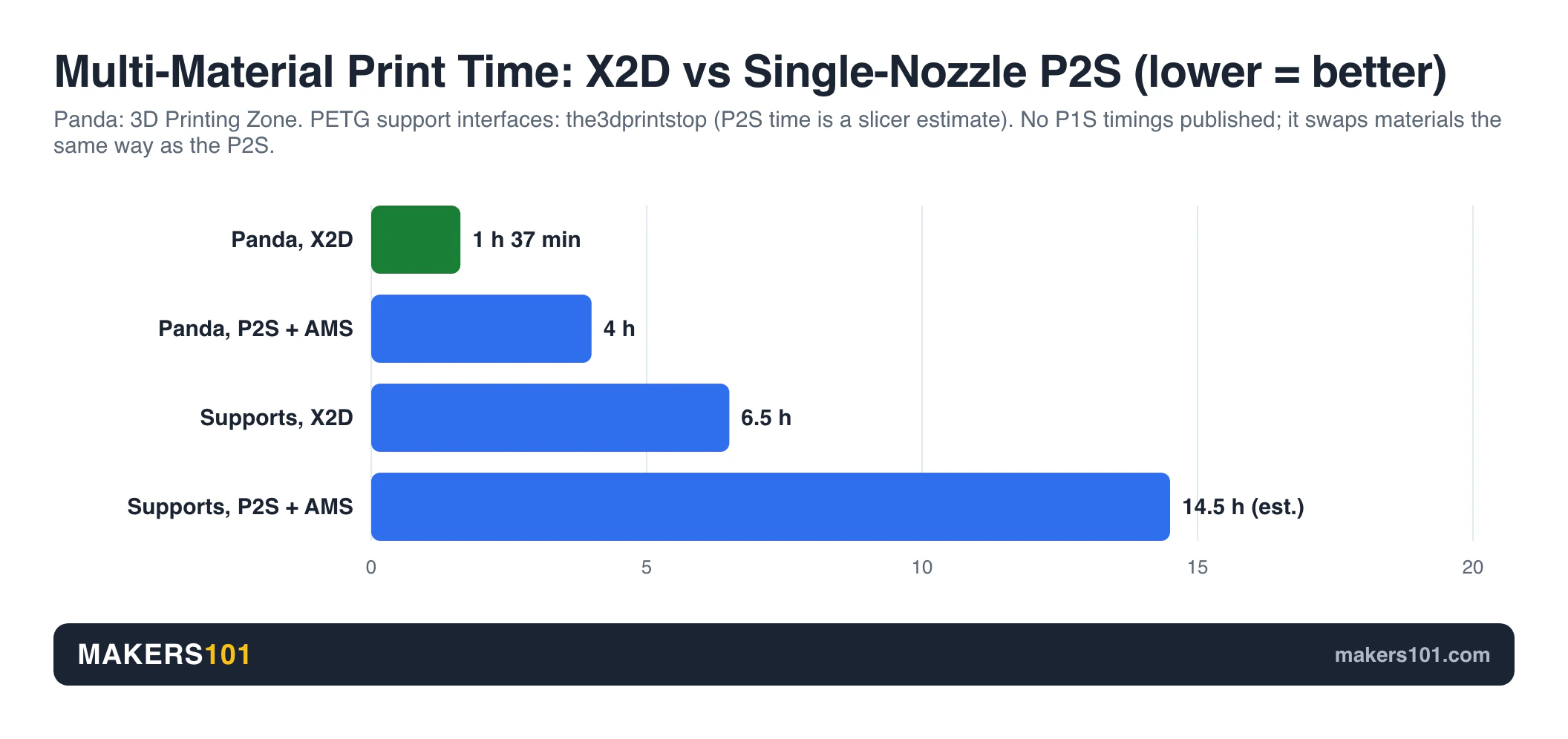
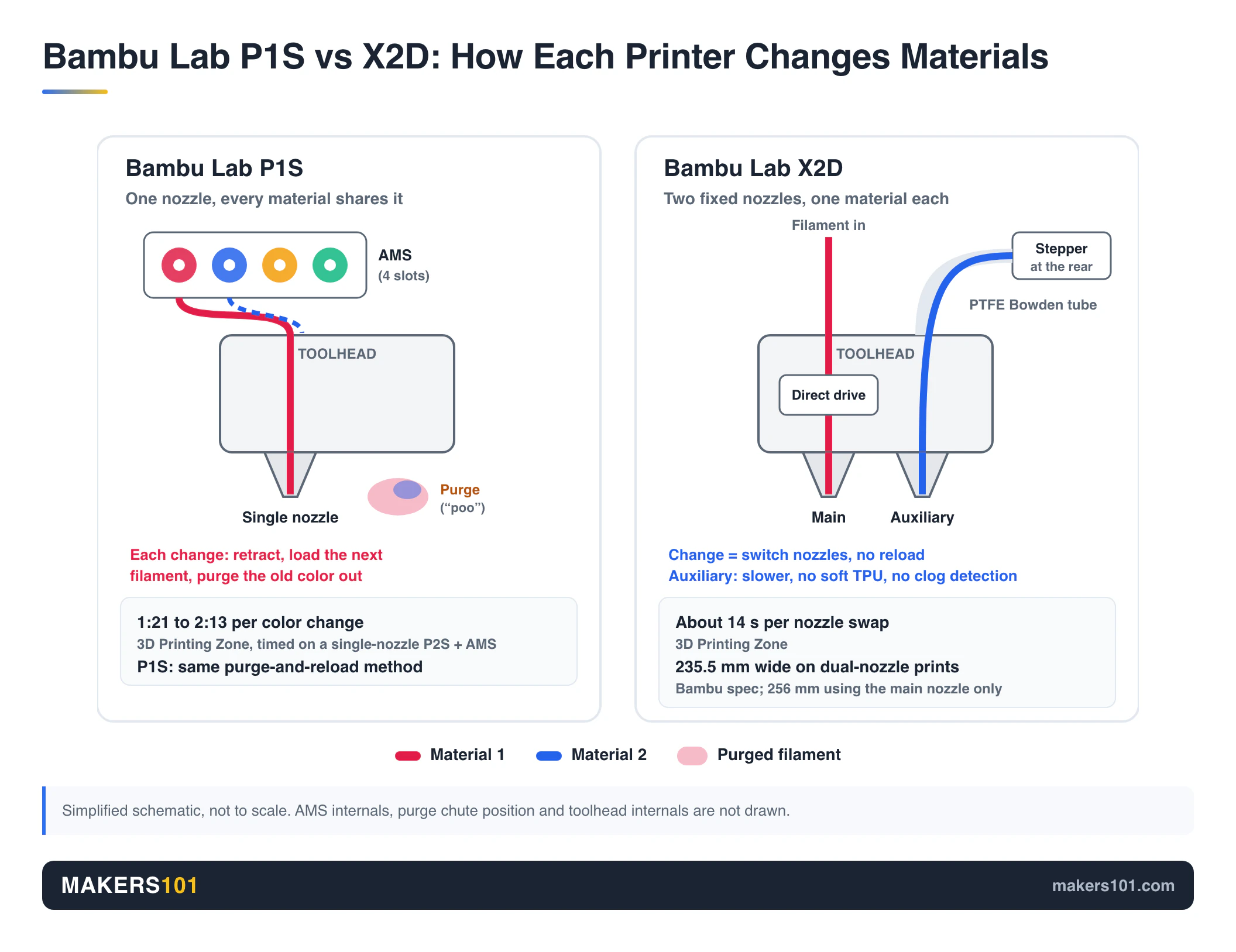
The measured savings come from color changes. The 3D Printing Zone timed the X2D swapping nozzles in about 14 seconds. A single-nozzle P2S with AMS took 1 minute 21 seconds to 2 minutes 13 seconds per change. The P1S works the same way (one nozzle, AMS purge, reload), so expect the same kind of delay.
On a multicolor panda, that adds up fast:
| Multicolor panda test | X2D | P2S (single nozzle + AMS) |
|---|---|---|
| Print time | 1 h 37 min | 4 h |
| Waste | ~8 g | 62 g |
Support interfaces show the same pattern. The3dprintstop printed a complex model with PETG support interfaces in 6.5 hours on the X2D, using 113 g of filament plus a 50 g prime tower. The single-nozzle P2S was estimated at 14.5 hours with 256 g of purge. All that purge is the AMS filament poo you’d be throwing away.
The X2D loses some of that time elsewhere. Its startup calibration ran 9 minutes 2 seconds against 6 minutes 52 seconds on the P2S, because it also calibrates the nozzle offset. On a small single-color part, the X2D can finish later than the P2S.
The right nozzle is also slower. CNC Kitchen measured prints on the auxiliary nozzle taking up to nearly twice as long, and running about 7% over the slicer estimate versus 1 to 4% on the main nozzle.
One P1S owner who upgraded admitted on r/BambuLab that the hardest habit to build was remembering to actually use the second nozzle. The speed is there only if you set your prints up for it.
Bambu Lab P1S vs X2D for ABS, ASA, and Engineering Filaments
Engineering filaments are the strongest reason to move from a P1S to an X2D. The X2D actively heats its chamber, while the P1S only holds heat passively.
Bambu officially rates the P1S as ideal for ABS and ASA, with PA and PC listed as capable. It ships with a stainless steel nozzle, so carbon-fiber filaments mean buying a hardened one first. Rad Dad’s Print Lab adds a quirk from the other end: on the P1S you open the door or lid for PLA and PETG to avoid heat creep.
I see the same limit on my P2S, which also has no active chamber heating. PC and nylon both needed a brim before they behaved, while standard 0.2 mm layers came out tidy on every other material I ran. You can make it work on a passive chamber. It just takes extra steps like that brim. (My full notes are in the Bambu Lab P2S review.)
The X2D removes most of that. CNC Kitchen measured its chamber reaching 65°C in about 20 minutes, and you can set up to 70°C in the slicer. The 3D Printing Zone lists a 120°C bed and an exhaust fan. The3dprintstop called it “phenomenal if you need a high-temperature chamber for ABS or ASA.”
Know the limits before you pay for them:
- 300°C ceiling. The X2D handles PLA, PETG, ABS, ASA, and carbon-fiber PA and PC. Very high-temperature filaments like PPS-CF and PPA-CF are out of reach.
- Smell still escapes. CNC Kitchen could still smell ABS and ASA despite the built-in exhaust filter. The chamber isn’t airtight, and the filter doesn’t run in heating mode.
- No soft TPU on the right nozzle. The Bowden-fed right side can’t run soft TPU, including 95A. Use the left nozzle or TPU for AMS.
If engineering materials are your whole reason for looking, compare against other enclosed high-temperature 3D printers too.
Bambu Lab X2D Second Nozzle: Supports, a Fifth Color, and Its Limits
The second nozzle is a great support tool and a usable spare color. It’s not a full twin of the main nozzle.
The3dprintstop summed it up: “The auxiliary nozzle is a great tool for supports, but don’t expect amazing quality.” Owners in r/BambuLab push back on the “supports only” view. One X2D owner (42 upvotes, September 2026) uses it purely as a fifth color outside the AMS and says it prints fine once calibrated.
The trade-offs come from the Bowden feed. CNC Kitchen lists slower prints, more retraction, lower acceleration, no clog detection, and about 20 mm less usable width. The right nozzle also strings more, which the3dprintstop traced to friction in the PTFE tube. Their fix on the generic profile: raise retraction or drop the nozzle temperature slightly.
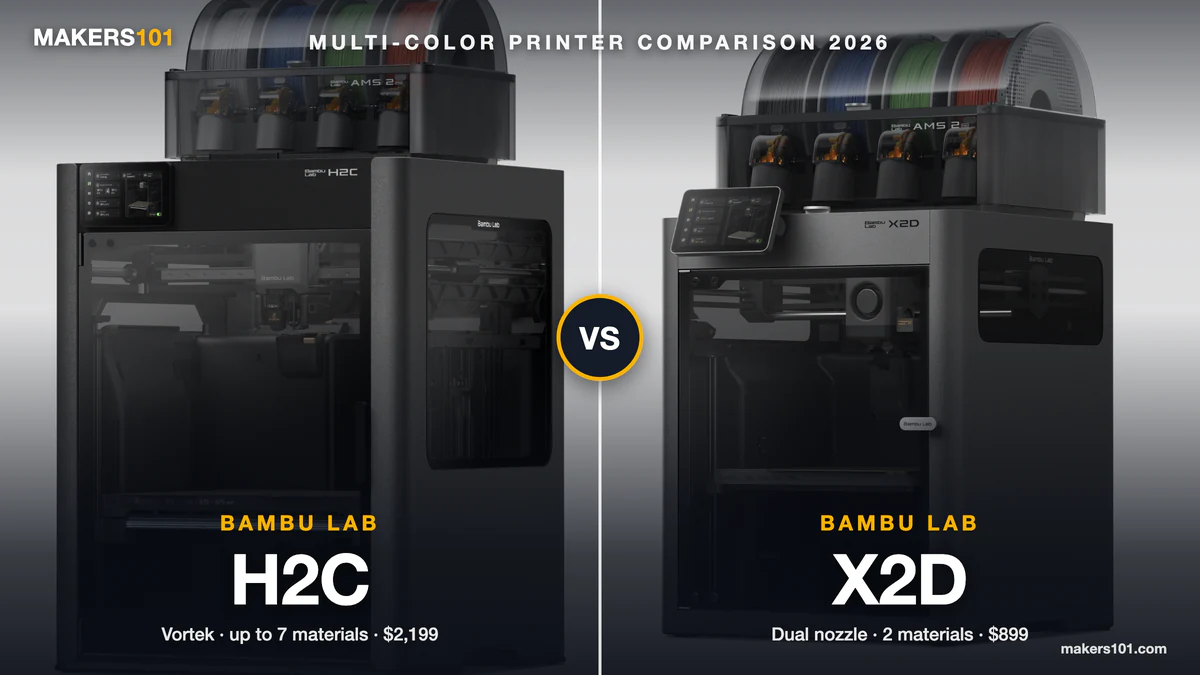
If heavy multicolor is the only thing you want, neither printer is the best fit. The two top replies in a June 2026 r/BambuLab thread point to the H2C or Snapmaker U1 instead.
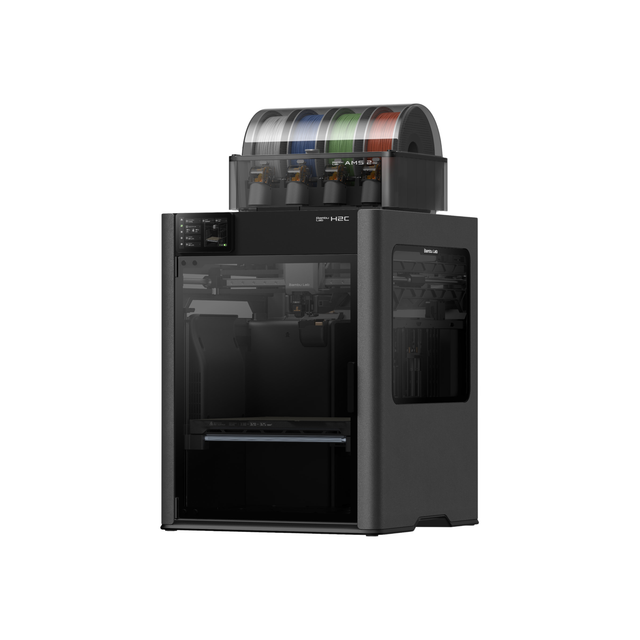
- Vortek system: 6 swappable induction hotends plus a fixed left nozzle
- Prints up to 7 materials in one job with minimal purge waste
- Combo includes the AMS 2 Pro
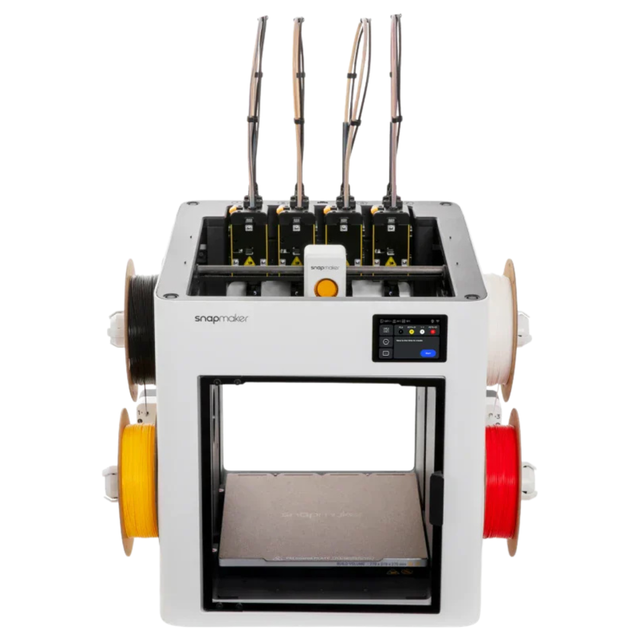
- Four-toolhead toolchanger: up to four colors or materials in one print
- 270 × 270 × 270 mm build volume
- Switches toolheads instead of purging a shared nozzle on every color change
Bambu Lab P1S Everyday Ownership vs X2D: Screen, Nozzle Swaps, Camera, Noise, and Power
Day to day, the P1S rarely fails. It just feels a generation older.
Rad Dad’s Print Lab describes swapping a P1S nozzle as unscrewing parts and unplugging a connector they were afraid to break. Newer Bambu machines use a quick-swap hotend. The P1S camera runs at 0.5 frames per second, and Rad Dad’s Print Lab added a Panda Lux light just to see clearly. The3dprintstop calls the missing touchscreen a clear weak spot.
Print N Repeat lists the rest: no AI features, fewer sensors, a dated interface, and no flow calibration. After a year of use, though, they put most of their failures down to their own mistakes, like bad models, wrong orientation, and oily fingerprints on the plate.
Don’t buy the X2D for AI error detection alone. Rad Dad’s Print Lab caught missed alerts and false alarms on the P2S’s AI detection, so it isn’t a set-and-forget feature yet.
Noise and power have no P1S data. The 3D Printing Zone compared the X2D with the P2S:
| Measurement (3D Printing Zone) | X2D | P2S |
|---|---|---|
| Noise at 30 ft / 10 ft / close | 38 / 43 / 53 dB | 43 / 45 / 58 dB |
| Power idle / peak / average | 9 / 573 / 175 W | 7 / 437 / 146 W |
Their son complained about the P2S’s whine. The X2D stayed in the room without complaints. CNC Kitchen measured the X2D differently: 14 W idle, about 160 W on PLA, 180 W on PETG, and 330 W on ASA with the chamber heater on.
Should You Upgrade From the Bambu Lab P1S to the X2D? Answers by Print Type
Match the printer to what actually comes off your build plate:
| What you print | Pick | Why |
|---|---|---|
| PLA and PETG, one or two colors | P1S | Single-color quality is close, and you keep the price difference |
| ASA, ABS, PC, or nylon every week | X2D | Actively heated chamber, 120°C bed, hardened nozzles |
| Lots of supports and overhangs | X2D | Second-material support interfaces without AMS purging |
| Heavy multicolor art | Neither | Look at tool changers like the H2C or Snapmaker U1 |
| First printer on a tight budget | P1S | Enclosed CoreXY and Bambu’s ecosystem at the lowest entry price |
P1S owners face a higher bar, because the printer already works. Upgrade when the passive chamber or AMS purge is costing you prints or time every week. If it isn’t, keep printing. Our P1S vs P2S upgrade guide covers the cheaper step if you mainly want the newer platform. Want a bigger bed more than a second nozzle? The A2L is the other way to go.
Some buyers are waiting instead. In a September 2026 r/BambuLab thread, the top reply (39 upvotes) advised holding off for rumored new Bambu models and Black Friday pricing. Those models are rumors, so only wait if you can comfortably keep printing on what you have.
Frequently Asked Questions About the Bambu Lab P1S vs X2D
Is it worth upgrading from P1S to X2D?
The upgrade pays off if engineering filaments (ASA, ABS, PC, nylon) are a regular part of your week, or you use a lot of support interfaces. The X2D’s heated chamber and second nozzle solve exactly those jobs. For one-color PLA and PETG prints, the P1S comes close enough that the upgrade is hard to justify.
Is the X2D faster than the P1S?
On multicolor and support-heavy prints, yes. The 3D Printing Zone measured X2D nozzle swaps at about 14 seconds versus up to 2 minutes 13 seconds on a single-nozzle P2S with AMS, and one multicolor panda dropped from 4 hours on the P2S to 1 hour 37 minutes on the X2D. The P1S changes colors the same purge-and-reload way, so expect similar delays. On simple single-color parts, the difference is small, and the X2D’s longer startup calibration (timed against a P2S) can erase it.
Is the Bambu Lab P1S still worth it?
Yes, for budget buyers who print mostly PLA and PETG. It’s an enclosed CoreXY printer with Bambu’s ecosystem, and long-term owners report reliable prints. Expect to give up a touchscreen, quick-swap nozzles, flow calibration, and a modern camera.
Is the Bambu Lab X2D worth it?
It’s worth it for makers who need engineering materials or clean multi-material supports. The heated chamber, hardened nozzles, and second nozzle add real capability. Its right nozzle is slower, rules out soft TPU, and narrows the build width on dual-nozzle prints, so weigh those against how you print.