
Heads up — some of the links below are affiliate links. If you buy through them, I earn a small commission (at no extra cost to you), which helps cover the gear I test. Thanks!
The launch page is dense with numbers. Five times faster. Zero grams of waste. Four hundred kilos of filament saved every year. All three are checkable right now, using nothing but Creality’s own charts.
Two of them don’t survive the check.
The printhead itself is a different story. In one outside test on a pre-production unit, the i8 lost to a real toolchanger at its default settings, then beat it after a single slicer change.
If you bought a SparkX i7 this spring, the announcement probably landed badly. Seven months after Creality’s newest beginner printer started shipping, there is a newer one. We worked out whether i7 owners should actually upgrade.
Table of Contents
- What Creality Announced About the SPARKX i8
- How QuarTeks Puts Four Colors Through One Nozzle
- SPARKX i8 Specs
- What the i8 Inherits From the i7, Good and Bad
- Why “5× Faster” Depends on Which Printer You Compare It To
- Where the 438 kg of Saved Filament Would Have to Come From
- Four Channels, One Nozzle, and What i7 Owners Report
- What Two Independent Reviews of the SPARKX i8 Found
- Creality Now Sells Four Different Answers to Multicolor
- What the Creality SPARKX i8 Costs
- Should You Back the SPARKX i8 on Indiegogo?
- SPARKX i8 Pros and Cons (So Far)
- Frequently Asked Questions
What Creality Announced About the SPARKX i8
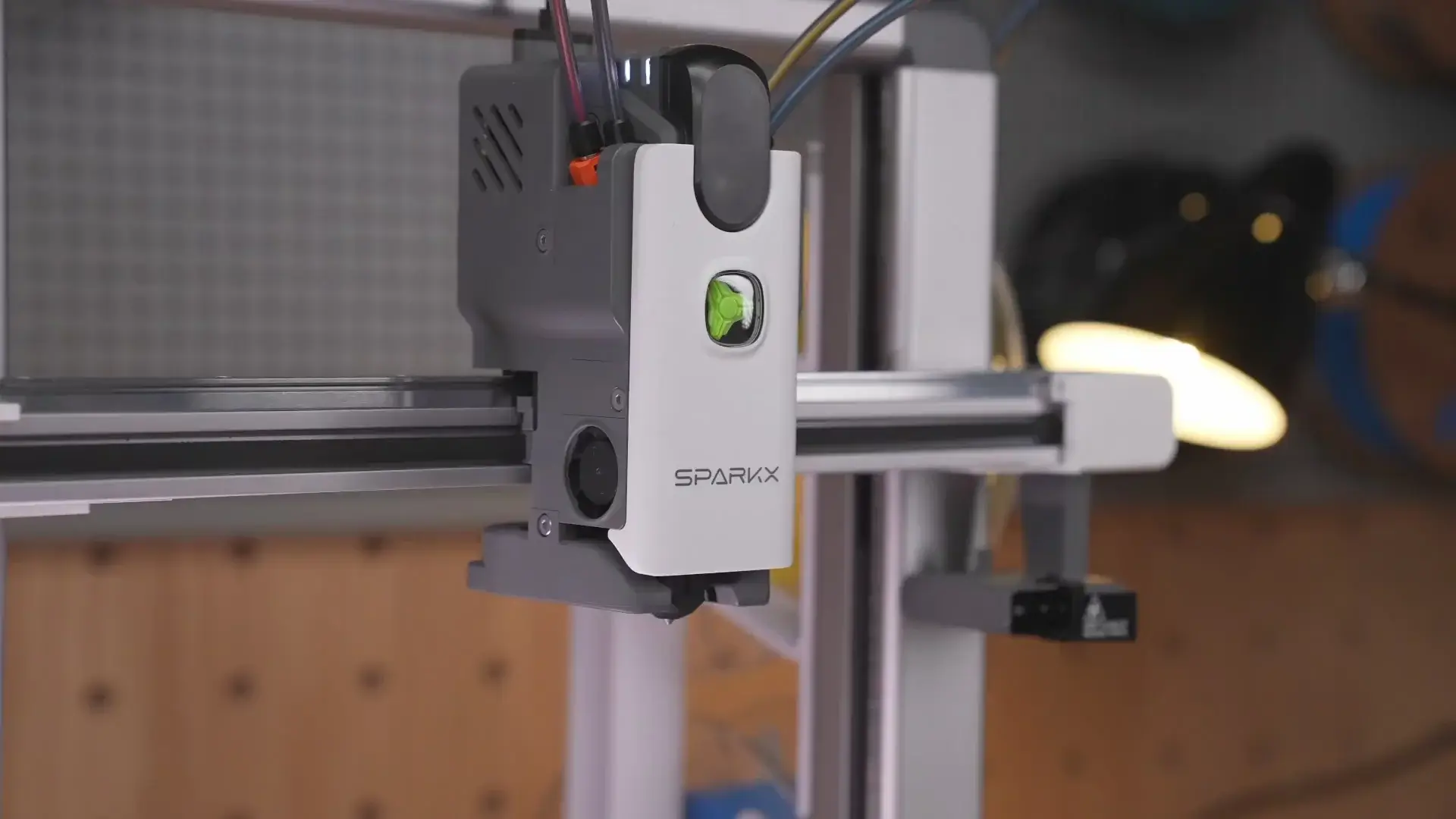
Creality announced the SPARKX i8 on August 19, 2026, through a Facebook post and a teaser page at crowdfundingfdm.creality.com. The one genuinely new part on the Creality SPARKX i8 is its multi-color system, which the company calls QuarTeks. It puts four filament channels inside a single toolhead.
You can buy one now. Creality’s Indiegogo campaign for the SPARKX i8 went live September 21, 2026, and stays open until October 31, with pricing split across a $289 tier, a $309 tier, and a $399 standard MSRP once both discounts run out. The launch materials also introduce a CMYK framing, claiming the four channels can blend into “16 or even 32 color combinations.” That’s marketing language for the same color-mixing trick JJ Shankles found on his review unit further down this page: it’s still four physical channels, just combined in more ways than a straight four-color swap.
JJ Shankles and TheLayeredWorkshop have each published hands-on reviews, both on September 9, though “outside Creality” needs a caveat: both received pre-production units directly from Creality, running beta firmware, so neither is a stranger who bought one blind.
Between them, they logged thousands of color changes on their units. Details on what they found are further down this page. Coverage from actual owners running production hardware still doesn’t exist, because production hardware doesn’t exist yet.
Creality has been moving fast this year. The company listed on the Hong Kong exchange in May 2026 as 03388.HK, and the i8 is the fourth multi-color product it has shown since January. Its K3 nozzle changer is still on the way, and we’ve weighed it against the Snapmaker U1 for anyone deciding whether to wait.
How QuarTeks Puts Four Colors Through One Nozzle
All four filament channels run separately to the hotend and merge just 1.7 mm from the nozzle. Creality says a color change takes under a second.
That number is really a plumbing story. An AMS-style system joins its filament paths well before the extruder, so every color change has to shove the old color through a long shared tube before the new one comes out clean. The purge tower on your build plate is that tube being flushed. Shorten the shared section and you shorten the flush.
There are two other ways to solve the same problem. You can swap the entire toolhead per color, which avoids mixing but adds cost and calibration. Or you can swap just the nozzle, which is the approach behind Creality’s own KliTek nozzle changing system.
Creality’s chart puts the four approaches side by side. It never says which model it printed:
| Machine type | Print time |
|---|---|
| SPARKX i8 | 14h 41min |
| 4-toolhead changer | 18h 24min |
| 7-hotend changer | 32h 48min |
| 4-color bed slinger | 90h 41min |
The first community reaction was not about speed. On r/Creality, the poster who broke the news pointed out that the printhead looks a lot like the one on the Anycubic Kobra X. That comparison is worth holding onto, because it is the closest thing to a like-for-like reference point anyone has right now. We’ve since lined the i8 up against the Kobra X on speed, purge waste and TPU.
Each channel also gets its own sensor. Creality says the system watches all four lines in real time for runout, slipping, and empty extrusion.
SPARKX i8 Specs
The short answer is that most of the sheet below is the i7’s, unchanged. The exceptions are the printhead, 81-point leveling, and 0.6 kg of extra weight.
Full Spec Sheet
Every figure below comes from Creality’s product page, captured the day after the announcement.
| Spec | SPARKX i8 |
|---|---|
| Build volume (bed size) | 260 × 260 × 255 mm |
| Frame | Open-frame bed slinger |
| Max speed / acceleration | 500 mm/s / 10,000 mm/s² |
| Hotend / bed max temp | 300 °C / 100 °C |
| Nozzle | 0.4 mm, 5-second quick-release hotend |
| Multi-color | QuarTeks four-channel single toolhead, up to 4 colors |
| Leveling | 81-point auto leveling, auto Z-offset |
| Sensors | Auto leveling, filament runout (Creality’s marketing adds “13 intelligent sensors”) |
| Camera | 720p, up to 30 fps, with auxiliary light |
| Display / storage | 2.85-inch 640 × 480 / 8 GB microSD included |
| Build plate | Dual-sided gold textured PEI, magnetic |
| Wireless | 2.4 GHz only |
| Noise / weight | ≤45 dB / 9.72 kg |
| Slicer | Creality Print 7 or later (Windows, macOS, Linux) |
Three of those lines deserve a second look. The Wi-Fi is 2.4 GHz only, so a crowded band in an apartment will affect cloud printing and camera streaming. The frame is open, which rules out reliable ABS and ASA work without a DIY enclosure. And the 5-second quick-release hotend is a different part from the i7’s 3-second quick-swap nozzle, so don’t read it as the same feature renamed.
Two things missing from the official sheet came up in Creality’s conversations with reviewers instead. Material support is PLA and PETG, with mixing materials that print at very different temperatures not recommended and TPU not supported at all. And the standard nozzle is 0.4 mm, with 0.2, 0.6, and 0.8 mm options planned for later, no date given. Need TPU or mixed nozzle sizes? That’s the K3’s pitch, and we put the i8 and K3 side by side.
At a Glance: SPARKX i8 vs SPARKX i7 Combo
| SPARKX i8 | SPARKX i7 Combo | |
|---|---|---|
| Price | $289 Super Early Bird / $309 Early Bird → $399 MSRP, via Indiegogo (Sept 21-Oct 31, 2026) | $359 at creality.com, $358.99 on Amazon |
| Availability | Indiegogo campaign live | Shipping now |
| Multi-color system | QuarTeks, built into the toolhead | CFS Lite, external four-spool unit |
| Colors | 4 | 4 |
| Build volume (bed size) | 260 × 260 × 255 mm | 260 × 260 × 255 mm |
| Max speed | 500 mm/s | 500 mm/s |
| Max acceleration | 10,000 mm/s² | 10,000 mm/s² |
| Leveling | 81-point auto leveling | Auto leveling |
| Camera | 720p, 30 fps | 720p AI camera |
| Build plate | Dual-sided gold textured PEI | Dual-sided gold textured PEI |
| Weight | 9.72 kg | 9.12 kg |
| Sensors (spec sheet) | Auto leveling, filament runout | Auto leveling, filament runout |
i7 pricing verified at creality.com on August 20 and on Amazon on August 8. The bare i7 without CFS Lite sells for $229 direct and $198.99 on Amazon, so be careful comparing that figure against anyone’s multi-color bundle.
Read down that table and the pattern is hard to miss. The chassis didn’t change. The printhead did.
What the i8 Inherits From the i7, Good and Bad
Everything owners like about the i7 should carry over, because it’s the same hardware underneath.
The dual-sided gold textured PEI plate has a good adhesion record with i7 owners running long jobs. The camera is clear enough that you’ll actually watch prints on it, though the same owner rates the mobile app as hit or miss for both camera viewing and sending jobs. The machine ships 90% pre-assembled, and the platform’s maintenance documentation is solid.
The software carries over too. Creality’s page promotes one-tap photo-to-model conversion, which is the CubeMe feature the i7 shipped with. It runs in the cloud, it’s useful for portrait reliefs, and it struggles badly with hands and hair.
One open question for existing owners: whether i7 add-ons will fit. The i8’s body measures 467 × 423 × 456 mm and weighs 0.6 kg more, so anything dimension-dependent is a coin flip until Creality publishes a manual. Plate-level and filament-level SparkX i7 accessories are the safer bet, since the build plate and nozzle diameter are unchanged.
Why “5× Faster” Depends on Which Printer You Compare It To
Against a four-toolhead changer, the gain is 1.25×.
That’s Creality’s own chart, divided out. The i8 finishes in 14h 41min and the four-toolhead changer takes 18h 24min, which is 25% faster. Run the same division against the four-color bed slinger at 90h 41min and you get 6.2×. Creality’s headline number is “up to 5×”, footnoted only as a test involving 3,000 color changes. The page never says which machine that multiple is measured against.
A different block on the same page gives the i8 that exact same 14h 41min, this time on a named model (a Crystal Dragon) against 42h 18min for “Others”. That comes out to 2.88×. The identical i8 time in both blocks points to the same print, and if it is, Creality has published two different competitor times for it: 42h 18min in one place and 90h 41min in the other.
If you’re upgrading from an AMS-style bed slinger, where every color change flushes a long shared tube, the multiple is enormous and the i8 will feel like a different category of machine. If you’re cross-shopping toolchangers, the honest figure is 25%.
The site 3D Printing Cost Calculator, which covered the launch on August 19, also noted that Creality’s chart never names the machines it benchmarks against and never publishes the slicer settings. Without those, none of it can be reproduced. Apple’s iPhone Duo hinge claims have a similar hole: the manufacturing process everyone’s citing was never actually named by Apple.
Where the 438 kg of Saved Filament Would Have to Come From
Saving 438 kg in a year would take about 1.68 years of nonstop printing.
On the Crystal Dragon, using only Creality’s own figures, the company puts the i8 at 183.57 g and “others” at 619.55 g. That’s 435.98 g saved per print. To reach the headline figure you need 1,005 of those prints. At 14h 41min each, that’s 14,757 hours, or roughly 615 days of printing without a single pause.
The chart calls it a yearly figure.
There’s a second way to read it, using the footnote that ties the test to 3,000 color changes. Divide 438,000 g by 3,000 and you get 146 g wasted per color change on the comparison machine. A purge tower typically eats single-digit grams per change. Neither reading holds up.
The same page also promises “2.7× less filament waste”, a third multiplier sitting alongside the “0 g” claim and the 3.4× separating its own dragon consumption figures (619.55 g against 183.57 g). It never defines which of them measures what. To Creality’s credit, it does carry a disclaimer that results vary by model and print settings. The $1,500 attached to the claim also implies filament at $3.42/kg, which is achievable on sale but below what most people actually pay.
If you print multi-color regularly, QuarTeks will very likely save you real filament, and the per-print figure of 436 g on a heavily multi-colored model is the number worth trusting. The yearly headline is a spec-sheet number that a single machine can’t reach even running nonstop for a full year. Budget for the first one and ignore the second.
The “0 g waste” claim has a similar shape, and 3D Printing Cost Calculator flagged it on day one. Creality’s own page explains that on select models the printer redirects purge material into the model’s infill. The waste moves inside your print instead of disappearing, which is still a real improvement over a tower, and worth knowing before you set it against what to do with AMS purge waste.
Four Channels, One Nozzle, and What i7 Owners Report
The most consistent complaint from long-term i7 owners is that the 0.4 mm nozzle clogs. The i8 runs four filament paths into that same nozzle.
One owner posted a review at 1,200 hours and 20 kg of filament, with an A1 mini, a Creality Hi, and a P1S in the same room for comparison. Their verdict on the CFS Lite was glowing. Their verdict on nozzles ran the other way: four replaced, roughly 30 minutes lost to each rescue attempt, against a Creality Hi that was still on its original nozzle at 1,000 hours. Matte filament also left a film building up in the extruder, which their other three printers never did.
A second owner at 1,000 hours and 19 kg reported a much smoother run, with filament snapping inside the extruder once and one blob of death around hour 700. Both were easy fixes, and that owner’s overall verdict was positive.
That used to be the honest answer on the i8: nobody’s run a spool through one yet. It isn’t anymore. QuarTeks is a completely different filament path from the i7’s, and two independent reviewers have since stress-tested pre-production units with several thousand color swaps apiece, none of them ending in a clog or a QuarTeks-caused failure.
That’s encouraging. It’s also just weeks of stress-testing on beta firmware. The i7’s nozzle complaints above took hundreds of production hours to surface, and the i8 hasn’t logged anywhere close to that yet. The next section has the details.
Creality’s own answer to that risk is the 5-second quick-release hotend, which reads as an expectation that owners will pull the whole assembly when a channel jams.
What Two Independent Reviews of the SPARKX i8 Found
Two people outside Creality have tested the SPARKX i8, and both published on September 9: JJ Shankles and TheLayeredWorkshop. Read the fine print before the results.
Creality sent both reviewers pre-production hardware running beta firmware, and TheLayeredWorkshop discloses that relationship directly in his video. Neither is an owner who bought one blind, and neither review can speak to what a shipping unit does after a year of use.
Here’s what two testers, running two independent sets of prints, actually found. Two different questions are worth untangling first: the sections above show Creality’s own charts don’t survive close reading, which is a knock on the company’s arithmetic. Whether the printhead itself performs is a different matter, and that’s what an outside stopwatch can actually answer.
Real-World Speed and Waste: The Spider-Man Test
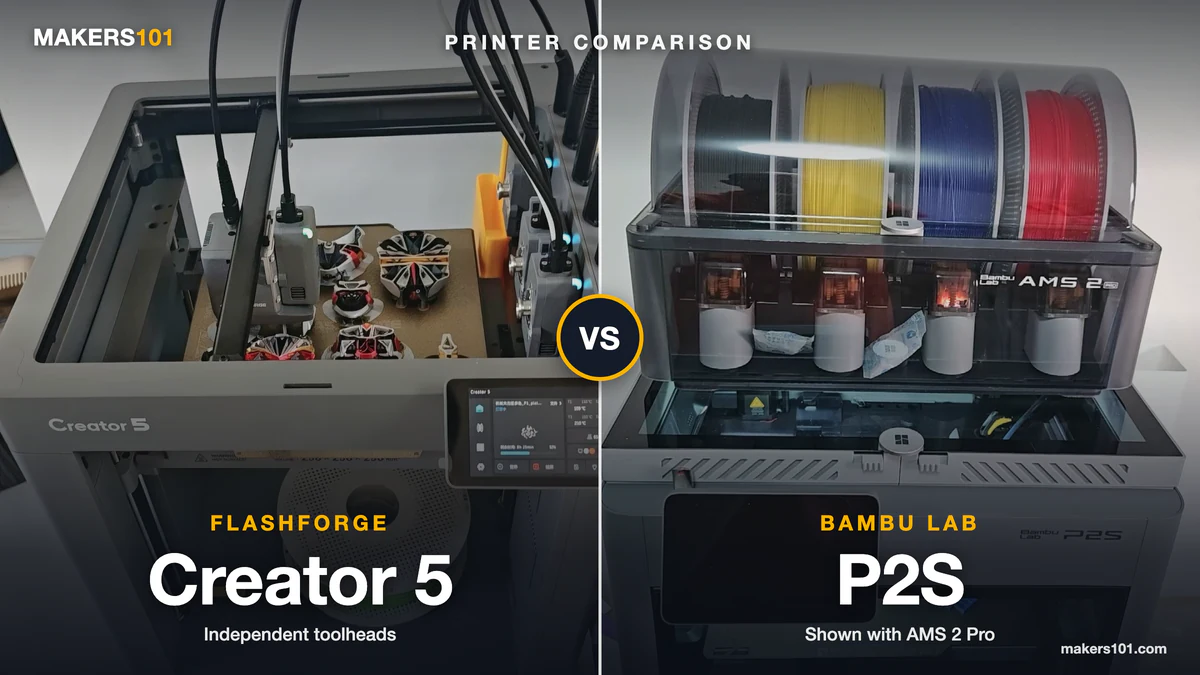
TheLayeredWorkshop ran the cleanest single-variable test available on the i8 so far. He sliced the same Spider-Man bust, at matching layer height, speed, and support settings, for the i8, a Bambu Lab A1 Combo, a SparkX i7 Nano (a separate i7 variant from the Combo discussed elsewhere on this page), and a FlashForge Creator 5, an actual tool-changing printer.
At the i8’s default flushing multiplier of 1.0, the print looked bad next to a toolchanger: 9h 44min and 245.59 g of filament, most of it eaten by a prime tower he called “enormous.” Then he changed one setting Creality had told him to change and hadn’t set as the default.
| Machine (Spider-Man bust) | Flushing multiplier | Time | Filament used |
|---|---|---|---|
| SPARKX i8 | 1.0 (default) | 9h 44min | 245.59 g |
| SPARKX i8 | 0.15 (Creality’s recommendation) | 5h 10min | 83.26 g |
| FlashForge Creator 5 (toolchanger) | n/a | 6h 21min | 108.96 g |
| Bambu Lab A1 Combo | 0.15 (slicer estimate, not printed) | 15h 10min | 127.89 g |
| SparkX i7 Nano | 0.15 (slicer estimate, not printed) | 15h 36min | 85.11 g |
At 0.15, the i8 beat the actual toolchanger on both time and material, with no visible drop in print quality. That’s a genuinely good result, and it’s independent of anything on Creality’s own chart. But the A1 and i7 Nano rows are slicer math, not fired plastic. Weighing the i8 against an A1 Combo you can buy today? We put the two side by side.
The reviewer didn’t print them at 0.15 because both machines carry more residual filament in their shared path than the i8 does, and dropping their flushing that low risks color bleed a slicer estimate can’t show you.
The honest summary: QuarTeks’ speed and waste claims mostly hold up once you find the right setting, and most buyers pulling one out of the box at the default 1.0 would conclude the opposite.
To rule out the low flushing number just hiding contamination under dark colors, the reviewer repeated the test on white-heavy models: a Gundam kit and a Star Wars Y-wing, both running blue, yellow, black, or red right up against large white areas.
Both came out clean at 0.15, with only the faintest hint of red near the Gundam’s head, which the reviewer traced to dark infill showing through a thin white wall rather than actual channel bleed. A stay-puft model he’d previously seen ruined by under-purging on another single-nozzle system printed clean on the i8 at the same setting.
Reliability After Thousands of Color Changes
Four filament paths converging within a millimeter of a heated nozzle is exactly the kind of design that invites clogging and heat creep. Both reviewers went looking for it. JJ Shankles put “thousands and thousands” of color changes through his unit, including a single print with roughly 800 changes, and reported the machine still running reliably.
TheLayeredWorkshop ran weeks of near-continuous printing, dark colors next to white, large models, small details, and multi-hour full-spectrum prints, and came away with zero clogs and zero failures he attributed to the mechanism. Creality told him it improved the heating and cooling system specifically to hold temperature steady during high-flow printing.
Both caveats still apply: pre-production hardware, beta firmware, and weeks rather than the months or years it takes real clogging patterns to show up.
A New Trick: Color Mixing
JJ Shankles found a capability that doesn’t appear on Creality’s spec page at all. Alternating two filaments every other layer blends them into a color neither spool has on its own. A 50/50 split produced the smoothest transitions; 75/25 came out visibly striped instead of blended.
Transparent filaments mixed the most dramatically. Creality Slicer has already added a control for this, letting you set a custom ratio between two loaded filaments and select the blended result as a paint color for a model. His demonstration piece, a Mini Cooper kit, used the mixed colors as a base coat and came out with clean color separation despite the added complexity.
Materials, Nozzles, and the CFS Lite Timeline
TheLayeredWorkshop pushed Creality on a few gaps in the spec sheet. Material support is PLA and PETG; Creality doesn’t recommend mixing materials with very different print conditions in the same job, and TPU isn’t supported yet. The standard nozzle is 0.4 mm, with 0.2, 0.6, and 0.8 mm versions planned for later, no date attached.
And CFS Lite, the external spool feeder already sold for the i7, is coming to the i8 too, with Creality targeting October 2026. It won’t turn the i8 into a 16-color machine by stacking four CFS Lite units. Creality was explicit that it has no current plans to push past four colors on this printhead.
One Naming Wrinkle: “Cortex” or QuarTeks?
TheLayeredWorkshop refers to the printhead technology as “Cortex” throughout his review, attributing the name to conversations with Creality. Every other source, including Creality’s own teaser page, Fabbaloo, All3DP, 3Druck, and Domechy, uses “QuarTeks” and nothing else. A search turns up no other mention of “Cortex” tied to this printer.
It’s possible Creality used an internal codename with reviewers before settling on QuarTeks for the public campaign, or possible the name simply got crossed in one review. Either way, this article sticks with QuarTeks as the name Creality has put on its own product page, while flagging that one reviewer heard something different.
Creality Now Sells Four Different Answers to Multicolor
In eight months, Creality has shipped or announced four separate approaches to multi-color printing.
| Launched | System | Approach | Creality’s waste claim |
|---|---|---|---|
| Jan 2026 | CFS Lite (i7) | External four-spool feeder | 50% less waste |
| May 2026 | CFS nano (i7) | Compact integrated spool rack | Not stated |
| May 2026 | KliTek | Multi-nozzle changer | ~85% less filament used |
| Aug 2026 | QuarTeks (i8) | Four channels, one toolhead | “0” g external purge |
Look at the right-hand column. Creality says KliTek, launched at its 12th anniversary event in May, cuts filament use by roughly 85% because only the wipe tower remains. Three months later it says QuarTeks gets to zero grams. Neither number has been independently measured, the two are quoted on different bases, and the company is promoting both at once.
As noted above, CFS Lite is coming to the i8 too, targeting October. That’s Creality reaching for one supply chain, the row already on this table for the i7, to serve as the accessory layer across more of the lineup, while the color-generation technology underneath keeps splintering into KliTek, QuarTeks, and whatever comes next.
The community has been asking about this for a while. Under Creality’s own KliTek announcement video, which drew 392 comments, one of the upvoted replies simply read: “Please develop a cohesive platform rather than a range of different printers.”
That comment section is a useful preview of how the i8 will land. The most upvoted reply of all 392, at 238 votes, had nothing to do with color. It asked for mixed nozzle diameters in a single print. Creality keeps answering a question about colors while its loudest customers ask about nozzle sizes.
The single largest topic in that thread wasn’t Creality’s technology at all. It was whether KliTek copied Bondtech’s INDX toolchanger. Worth remembering now, because the first thing r/Creality said about the i8 was that its printhead resembles the Anycubic Kobra X.
Reviewer FauxHammer counted the fragmentation in January: 16 FDM printers across four categories, three of them near-identical machines built on different hardware with no cross-compatibility.
For a buyer, that’s the real cost of going early on the i8. You’re not just buying a printer. You’re buying into a filament path that exactly one machine in the world currently uses, from a company with a track record of moving on to the next architecture within a couple of quarters.
What the Creality SPARKX i8 Costs
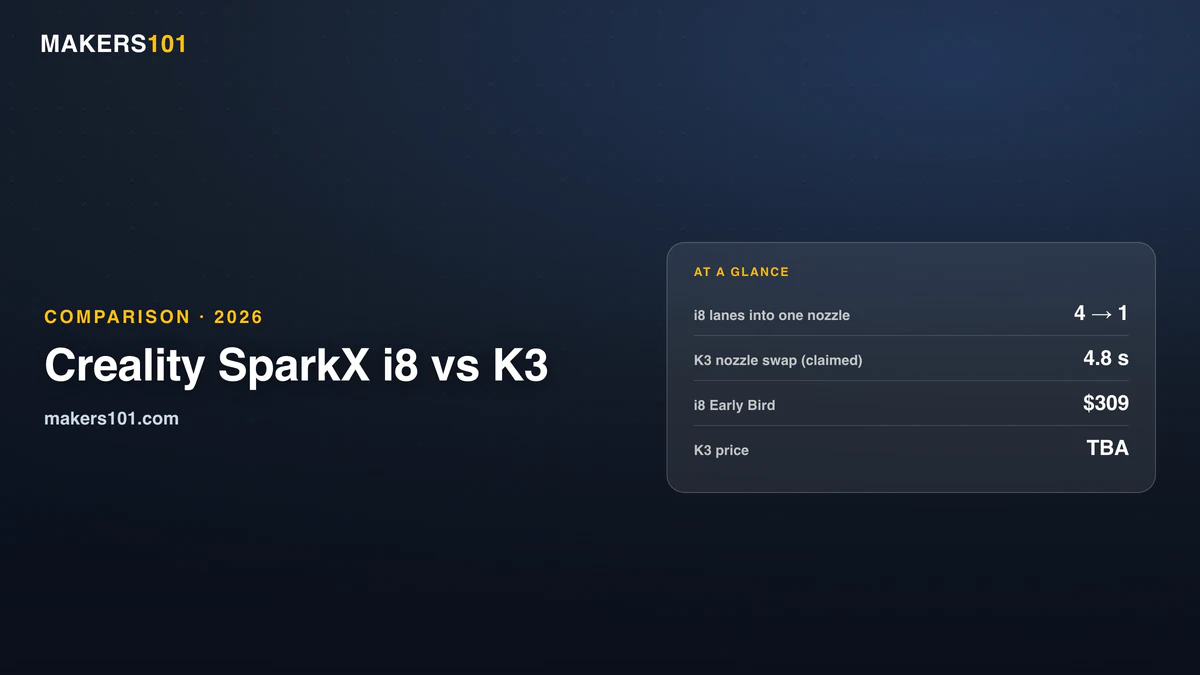
Creality has a number now, and there are two of them. The Indiegogo campaign that opened September 21, 2026, runs through October 31, 2026, and offers two discounted tiers ahead of the $399 standard MSRP: a Super Early Bird slot at $289 and an Early Bird slot at $309. Both are limited, and once they’re gone, backers pay the full $399.
Backing early carries one more incentive. Order in the first 24 hours and you’re one of the first 1,000 to qualify for a full refund of shipping and taxes, up to $50, paid out after the campaign closes. It’s capped at one unit per backer. The checkout page estimates delivery for November 1, 2026, though Creality says factory shipping actually starts in October. Exact timing still depends on your destination and peak-season logistics.
Demand showed up fast and kept climbing. The campaign hit $1,000,000 within its first 40 minutes; by September 22, that had grown to $1,742,476 from 4,639 backers: 4,003 chose the $289 tier, which Indiegogo’s own inventory count showed at zero remaining stock by that point, and 440 chose the $309 tier, which still showed room. Those are snapshot numbers that will keep moving until the campaign wraps up, so treat them as a moment in time, not a final count.

- AI Turns Portraits into 3D Models: Say goodbye to complex modeling software. With Creality’s CubeMe AI, sparkx i7 combo 3d printer simply upload a…
- Unbox & Start Printing in 5 Mins: From unboxing to your first print in just five minutes. The SPARKX i7 arrives fully pre-assembled — no tools, no…
- Multicolor Printing with 50% Less Waste: Upgrade your printing with four-color capability— smoother transitions, faster printing, and 50% less waste…
- Smart AI Detects Spaghetti & Failures: This creality built-in AI camera watches over every print in real time, detecting common failures like…
- Large 260mm Build & Quiet Night Mode: Creality sparkx i7 3d printer with a generous 260 × 260 × 255 mm build volume, create everything from…
The i7 arrived at CES 2026 with an early-bird Combo price of $339 and a $399 retail price, positioned to undercut the Bambu Lab A1 Combo, which was listing around $449 in early 2026. Today that same Combo sells for $20 above the early-bird price, verified August 20, 2026. Drop the CFS Lite and the i7 falls to $229.
That earlier inference held up. This article guessed the i8 would land close to the i7 Combo’s price because it needs no external CFS unit, and the $399 MSRP lands almost exactly on top of the i7 Combo’s $359-399 range. The early-bird tier just undercuts it further.
Backers who committed at that early price are still ahead of today’s, by about 6% after eight months. That’s a real discount. It’s also a thin one, and it came with the risk of paying before any independent review existed.
Price sensitivity in this audience is well documented. On that KliTek announcement video, the second-most-upvoted comment out of 392 was five words hoping the price stays approachable.
Should You Back the SPARKX i8 on Indiegogo?
Back it if the $289 price and the reviews above are enough for you. Wait if you’d rather see a unit bought blind by a stranger, run through real hours first. The $289 tier has since sold out. We went through the payment glitch, Creality’s M1 delay and the refund rules in our SparkX i8 Indiegogo backer’s guide. Already own an i7? We looked at whether it’s worth trading up.
The stakes changed. Back in August, joining the list cost you nothing but an email address. Now $289 buys a slot in a crowdfunding campaign, and crowdfunding campaigns carry risk an ordinary retail order doesn’t: an unproven manufacturing timeline, no guarantee the October ship date holds, and no retail return policy while the campaign is live.
I wanted three things answered before anyone spent real money on this printer, and that’s no longer hypothetical. One is answered now: an independent measurement of QuarTeks waste exists, and it mostly backs up Creality’s claims once you set the flushing multiplier correctly, per the reviews detailed above. The second, long-term clogging behavior, has a partial answer: weeks of heavy stress-testing on pre-production hardware turned up nothing, which is encouraging but still short of the few hundred production hours that would settle it. The third, whether this printhead has a future beyond one model, remains completely open.
Creality’s own store has a mixed fulfillment record. One European buyer’s account of a 23-day wait with the tracking stuck on “waiting to be picked up by courier” drew 59 upvotes and 57 replies on r/3Dprinting. The company also has genuine crowdfunding successes, including Creality’s M1 and R1 filament maker campaign, which cleared HK$53.4 million.
A commenter on that KliTek video put the whole situation better than I can: “Everything is great when it hasn’t been released and tested by users. I will wait for a proper review.”
SPARKX i8 Pros and Cons (So Far)
Everything below is drawn straight from the sections above: Creality’s own spec page, the two independent hands-on reviews, and the community reaction. Nothing new, just organized.
- Color changes in about a second, with full swaps as fast as 6 seconds and near-zero waste once the flushing multiplier is set correctly
- Two independent reviewers ran thousands of color changes on pre-production units with zero clogs
- In real testing, it beat an actual tool-changing printer (FlashForge Creator 5) on both speed and filament use
- New color-mixing capability lets you produce shades none of your loaded filaments have on their own
- Built on the same proven SPARKX i7 hardware: build volume, top speed, camera, and PEI plate all carry over unchanged
- Shipping is targeted for October-November on Creality’s own timeline, and the company’s crowdfunding fulfillment record is mixed
- Open frame, so reliable ABS or ASA printing needs a separate enclosure
- TPU isn’t supported yet, and Creality doesn’t recommend mixing materials with very different print conditions
- The default flushing multiplier makes it look slow and wasteful; you have to know to change it yourself
- Only pre-production units on beta firmware have been tested so far, not production hardware over the long term
- It ties you to a filament path exactly one machine currently uses, from a company that tends to move on within a couple of quarters
Frequently Asked Questions
How much does the Creality SPARKX i8 cost?
As of September 22, the SPARKX i8’s Indiegogo campaign has two live pledge tiers: $289 for the Super Early Bird slot and $309 for the Early Bird slot, both well under the $399 standard MSRP that applies once they sell out. The $289 tier had already hit zero in Indiegogo’s stock counter that same day, so $309 may be the real starting price for new backers. Backers ordering in the first 24 hours (the first 1,000 orders) get shipping and taxes refunded, up to $50, after the campaign ends. That $399 MSRP lands close to where the SPARKX i7 Combo already sits, at $359 direct and $358.99 on Amazon, confirming this article’s earlier guess that the i8 would price near the i7 Combo.
When will the Creality SPARKX i8 be released?
Creality is targeting an October 2026 factory ship date, and Indiegogo’s own checkout shows a November 1, 2026 delivery estimate for backers. The exact timing depends on your region and how Q4 shipping holds up, and Creality hasn’t published a hard delivery date for any specific country.
Can you buy the SPARKX i8 yet?
Yes. Creality opened the SPARKX i8 for orders on Indiegogo on September 21, 2026, with the campaign set to close October 31, 2026. It’s still a crowdfunding order. You’re paying $289 or $309 now, depending on which discounted tier still has stock, or $399 once both run out, for a printer Creality expects to ship in October, and there’s still no listing on Creality’s own store or on Amazon.
Is the SPARKX i8 better than the SPARKX i7?
On multi-color printing, almost certainly. Everywhere else the two machines are the same: identical build volume, speed, acceleration, camera, screen, and build plate. The i8 adds 81-point leveling and a slightly heavier frame. Its spec sheet lists the same sensor set as the i7, even though the marketing copy promises 13 of them. If you don’t print in multiple colors, the i7 gives you the same machine for a price you can see today, and it’s not automatically the best pick either: see which Creality printer to buy right now.
Does the SPARKX i8 really print with zero waste?
Not in the way the headline reads. The footnote limits the figure to models where purge material can be buried in the infill, so it ends up inside your part instead of on a separate tower. Burying it beats printing a tower, and it still leaves you paying for the same filament.
Will SPARKX i7 accessories fit the i8?
Unknown, and Creality hasn’t published an i8 manual yet. The build plate size and 0.4 mm nozzle diameter are unchanged, so plate and nozzle-level items are likely to carry over. The body is a different size and heavier, so enclosures and mounts aren’t safe assumptions. Until an i8 manual appears, Creality’s SPARKX i7 support page is the only official documentation for the platform. Its firmware and parameter listings are what you have to work from.
Is the SPARKX i8 faster than a Bambu Lab A1 Combo?
Creality’s chart doesn’t answer that directly. It lists an unnamed “4-color bed slinger” at 90h 41min against the i8 at 14h 41min, on a model it never identifies, which works out to 6.2× if you divide it yourself. The A1 Combo is the most likely machine behind that label, but with no named hardware and no published slicer settings, nobody can reproduce the test.
Most specifications in this article come from Creality’s product page as captured on August 20, 2026, except where noted otherwise: material compatibility and the nozzle-size roadmap came from Creality’s conversations with reviewers. Pricing, availability, and the shipping timeline are verified against Creality’s official Indiegogo launch announcement on September 21, 2026, with pledge-tier stock and funding figures pulled directly from the live campaign page on September 22, 2026. The independent-review findings above come from two reviewers testing pre-production units Creality supplied directly. That’s real hands-on testing, though still short of production-hardware, long-term ownership data.